
 Written by
Theo White
Written by
Theo White

Downlaod Wildzy App (PWA) for UK users in 2026
Limit reached. Remove one bookmaker to add a new one.
no sports welcome bonus
Android
works through the browser
iPhone
works through Safari
UK players
accepted
Last checked:
July 2026
Testing status
hands-on tested
Pros
-
Low £10 minimum deposit.
-
Low £20 minimum withdrawal, no need to build a big balance.
-
In-app statistics.
-
Fast live chat, under a minute, 24/7.
Cons
-
No native app for Android or iPhone.
-
Narrowest payments here: cards and crypto only, no Apple Pay or e-wallets.
-
No cashback, no VIP, no Bet Builder, no live streaming.
-
No sports-specific welcome offer.
-
Full-only Cash Out.
Wildzy Review
Wildzy is the cheapest option in this group because the deposit is only £10 and the cash out is £20. However, it is very basic. You can only pay with cards and crypto, and there is no cashback, no VIP program, and no sports welcome bonus. You don’t need to install the app because it works directly in the browser of your phone. It is one of the betting companies not on GamStop that uses the Anjouan license and doesn’t have a UKGC license. Overall, it is a good choice for low bets.
| Field | Value |
|---|---|
| Operator | Rabocse S.R.L. |
| App type | Web app (no APK, no App Store) |
| UK players | Yes |
| Licence | Anjouan ALSI-202412035-FI2 |
| Minimum deposit | £10 (lowest here) |
| Minimum withdrawal | £20 |
| Minimum bet | £10 |
| Withdrawal time | 1-3 business days, free |
| Cash Out | Full only |
| Statistics | Yes |
| Sports welcome | None |
Wildzy on Android
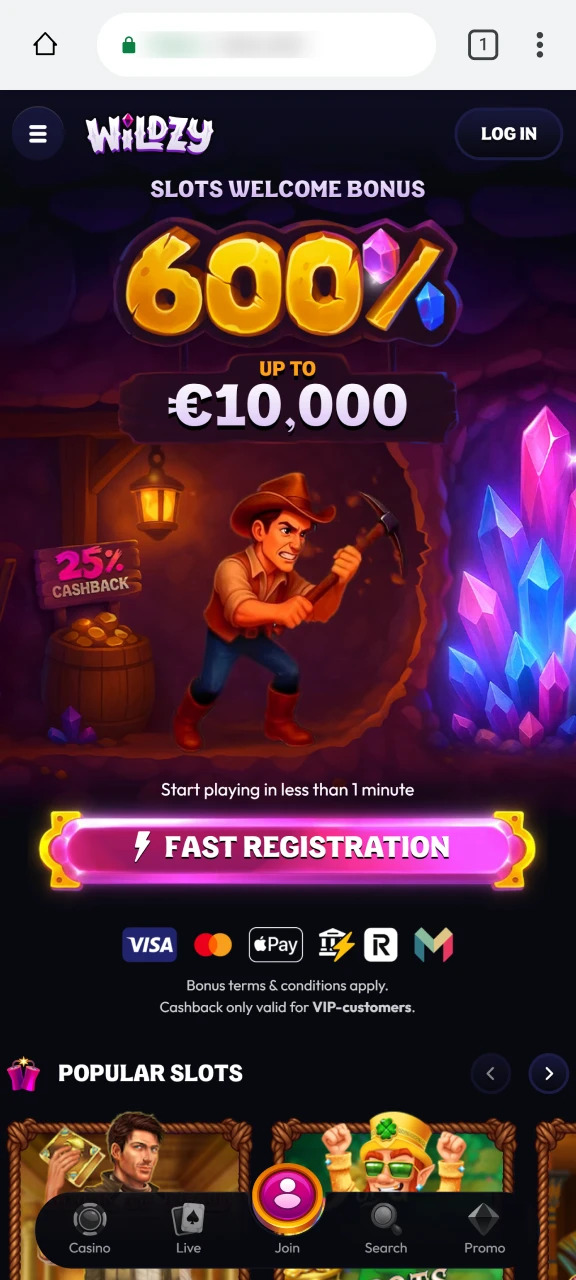
There’s no Wildzy download in Google Play, no APK file. You save the mobile site as a shortcut from the home screen of your phone. The screenshots track each step.
Step 1
Head to the site in Chrome
Enter the official Wildzy address in Chrome and let the page settle.
Step 2
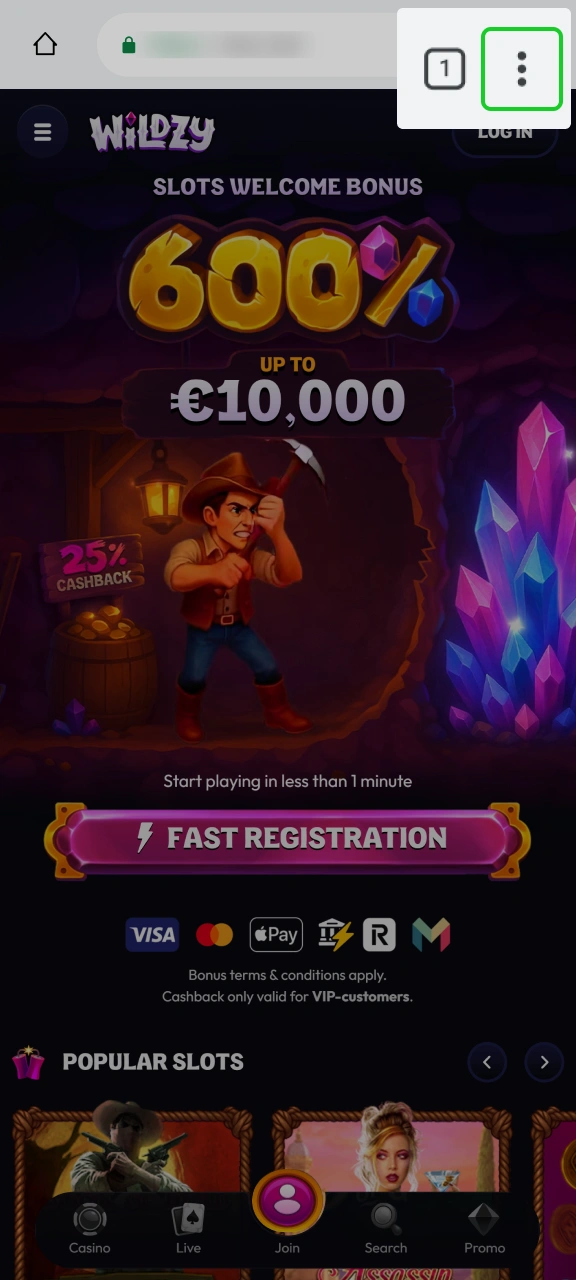
Tap the Menu Button
The three vertical dots, top right, open Chrome’s menu.
Step 3
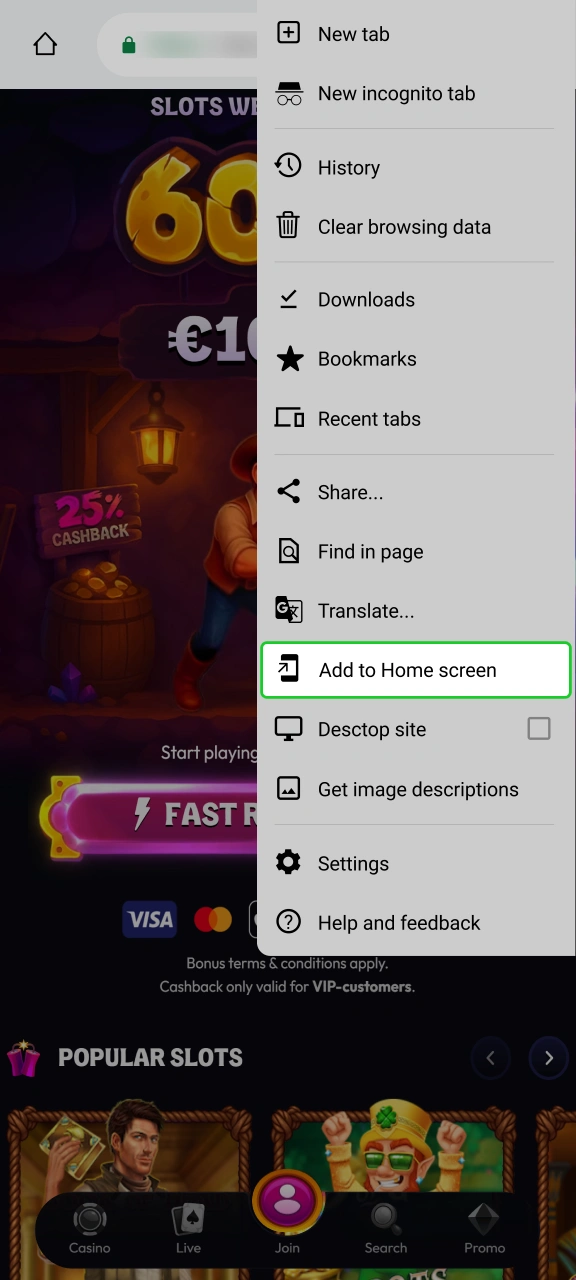
Hit Add to Home screen
Select it, keep the suggested name, confirm, and the Wildzy shortcut appears.
Step 4
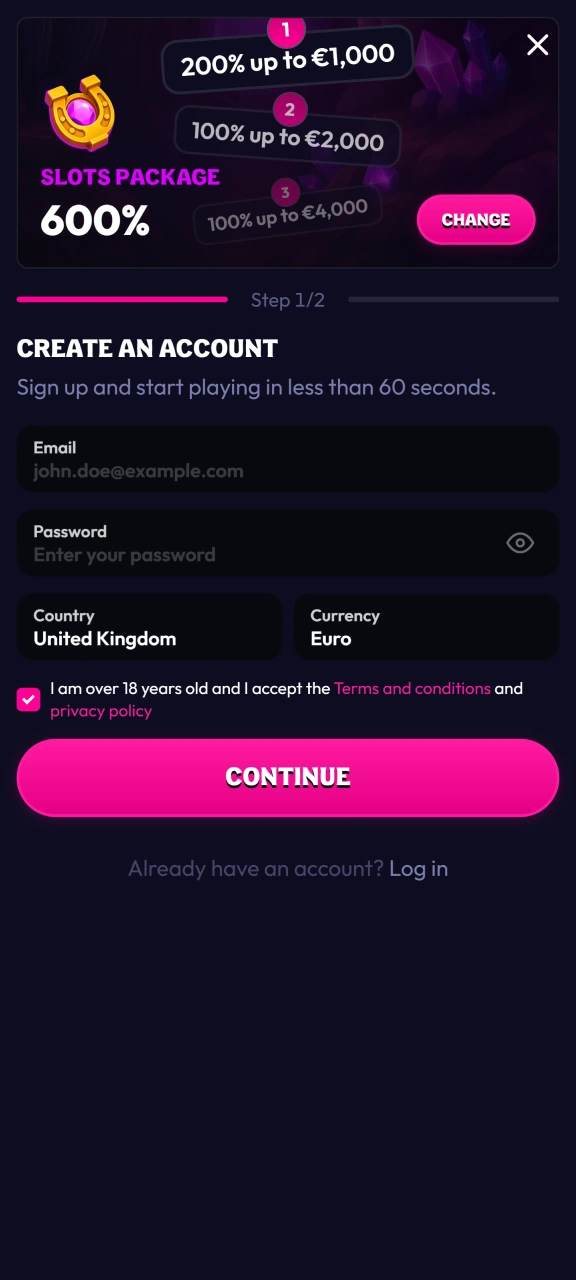
Open and Start Playing
Tap the shortcut. It runs full-screen. Register or log in from there.
Wildzy on iPhone
On iPhone, you must use Safari because Chrome cannot add shortcuts to your home screen. Follow these simple steps using the pictures below.
Step 1
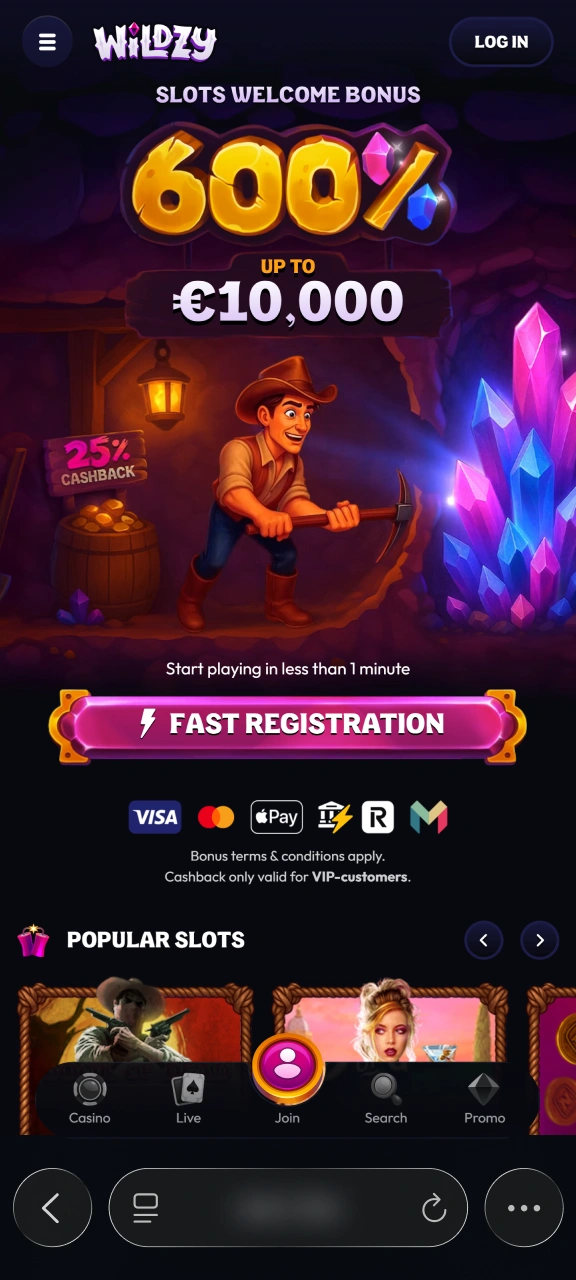
Open the site in Safari
Go to the official Wildzy address in Safari.
Step 2
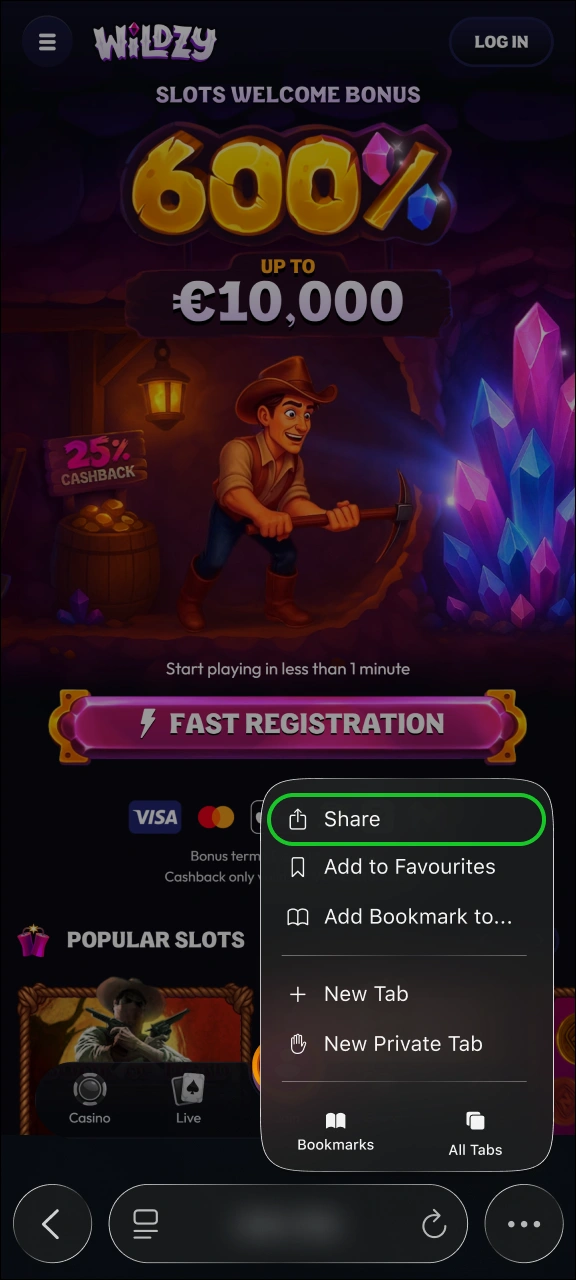
Tap Share
The Share button, an upward arrow in a box, sits in Safari’s toolbar.
Step 3
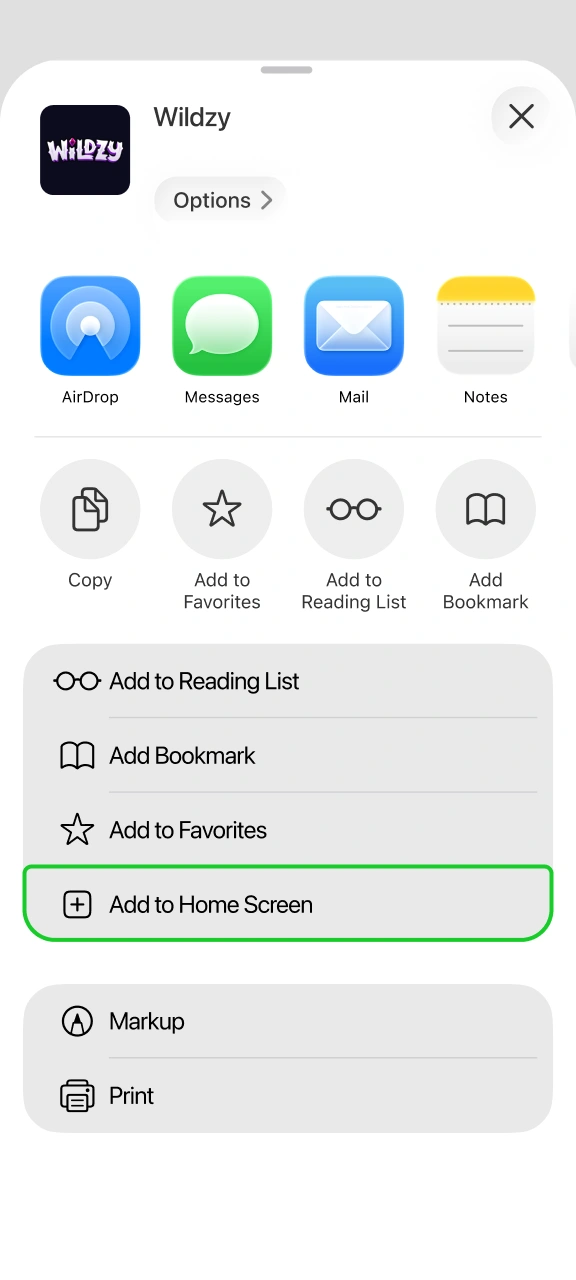
Choose Add to Home Screen
It’s down the share list. Tap it and confirm the name.
Step 4
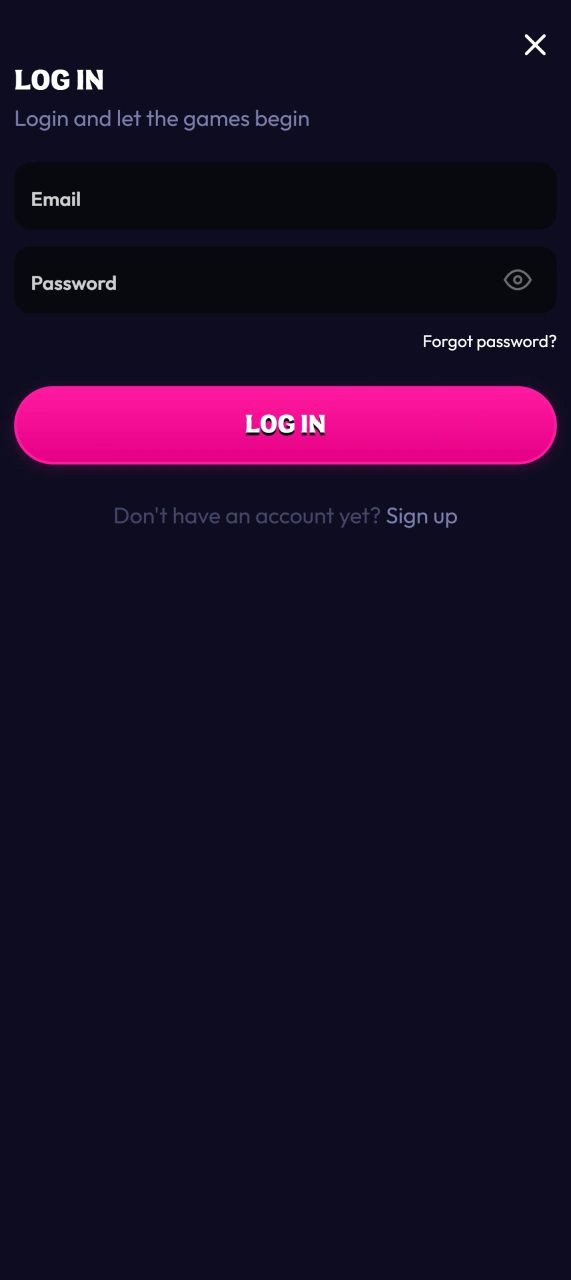
Launch it
Wildzy’s icon is now on your home screen. Tap to open full-screen and sign in.
No App to Download
Wildzy is not on Google Play or the App Store, and there is no file to download. You only use it in your phone browser. Do not download any file that claims to be a Wildzy app because it is fake.
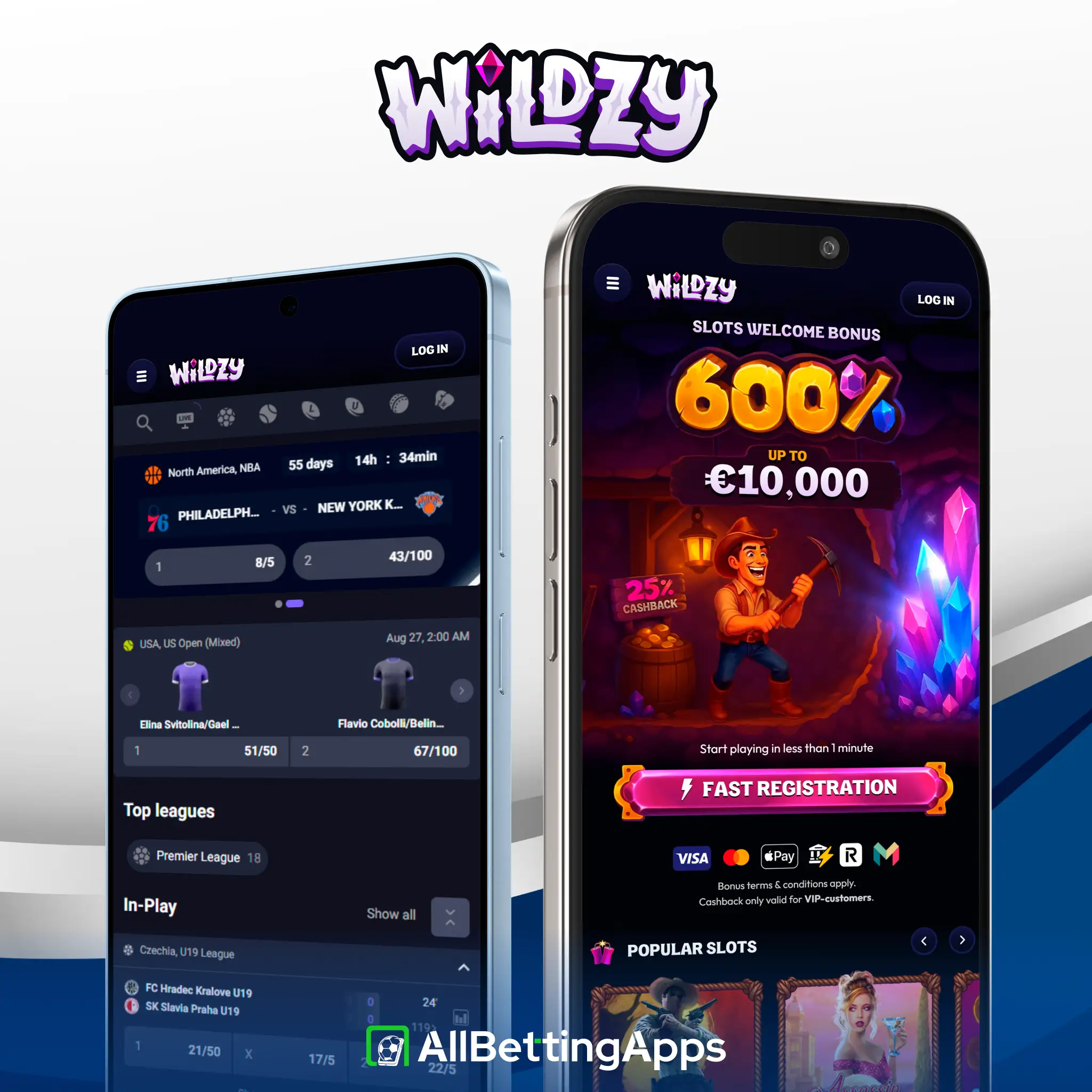
Our Mobile Wildzy Test
Testing status: hands-on tested
I saved Wildzy to the home screen on Android and iPhone, deposited the £10 minimum and placed a few bets. Nothing tripped up, and a bet took roughly 21 seconds to confirm. Live chat replied inside a minute when I asked a test question. One thing stood out during testing: the £10 deposit really is low, easy to try without committing much.
| Check | Result |
|---|---|
| Home-screen setup, both platforms | OK |
| Login | OK |
| Deposit (£10) | OK |
| Bet placement | OK, ~21s |
| Cash Out | Full only |
| Live chat wait | Under a minute |
Tested across the Pixel 10 Pro and 2 XL, Galaxy S25 and A17, and both iPhone 15 Pro Max and 11. A browser app like this makes no real hardware demands.
A Simple Wildzy Sportsbook
Wildzy has very basic sports features. You can place live bets and check the game stats, but there is not much else. There is no Bet Builder, no live streaming, no cashback, and no VIP rewards. You can only use the full Cash Out.
| Feature | On Wildzy |
|---|---|
| Statistics | Yes |
| Live betting | Yes |
| Cash Out | Full only |
| Bet Builder | No |
| Cashback / VIP | No |
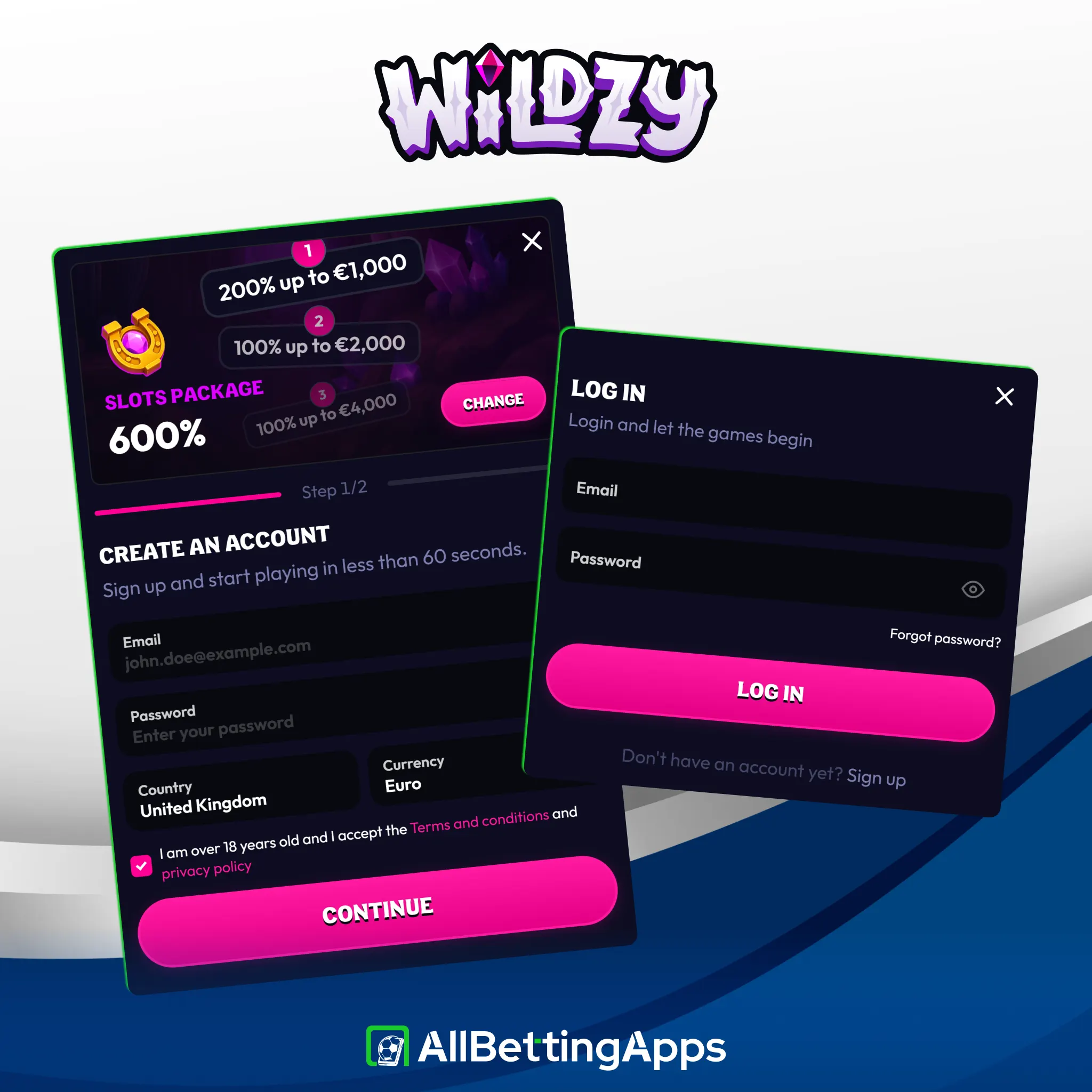
How to Sign Up at Wildzy
If you want to create an account, you will need to follow the next steps:
- Open Wildzy in your browser or from the home-screen icon.
- Start registration. Tap Sign up.
- Fill in your details and confirm you’re 18 or over.
- Verify and deposit. Complete any checks, then deposit from £10 to start betting.
Wildzy Payment Methods
Wildzy has very low deposit limits, but the payment options are limited. You can only pay with Visa, Mastercard, and crypto. There is no Apple Pay, Google Pay, PayPal, or e-wallets.
The main advantage is the low amount of money you need. You can deposit from £10 and withdraw from £20.
| Minimum deposit | £10 |
| Minimum withdrawal | £20 |
| Methods | Visa, Mastercard, crypto only |
| Withdrawal time | 1-3 business days, free |
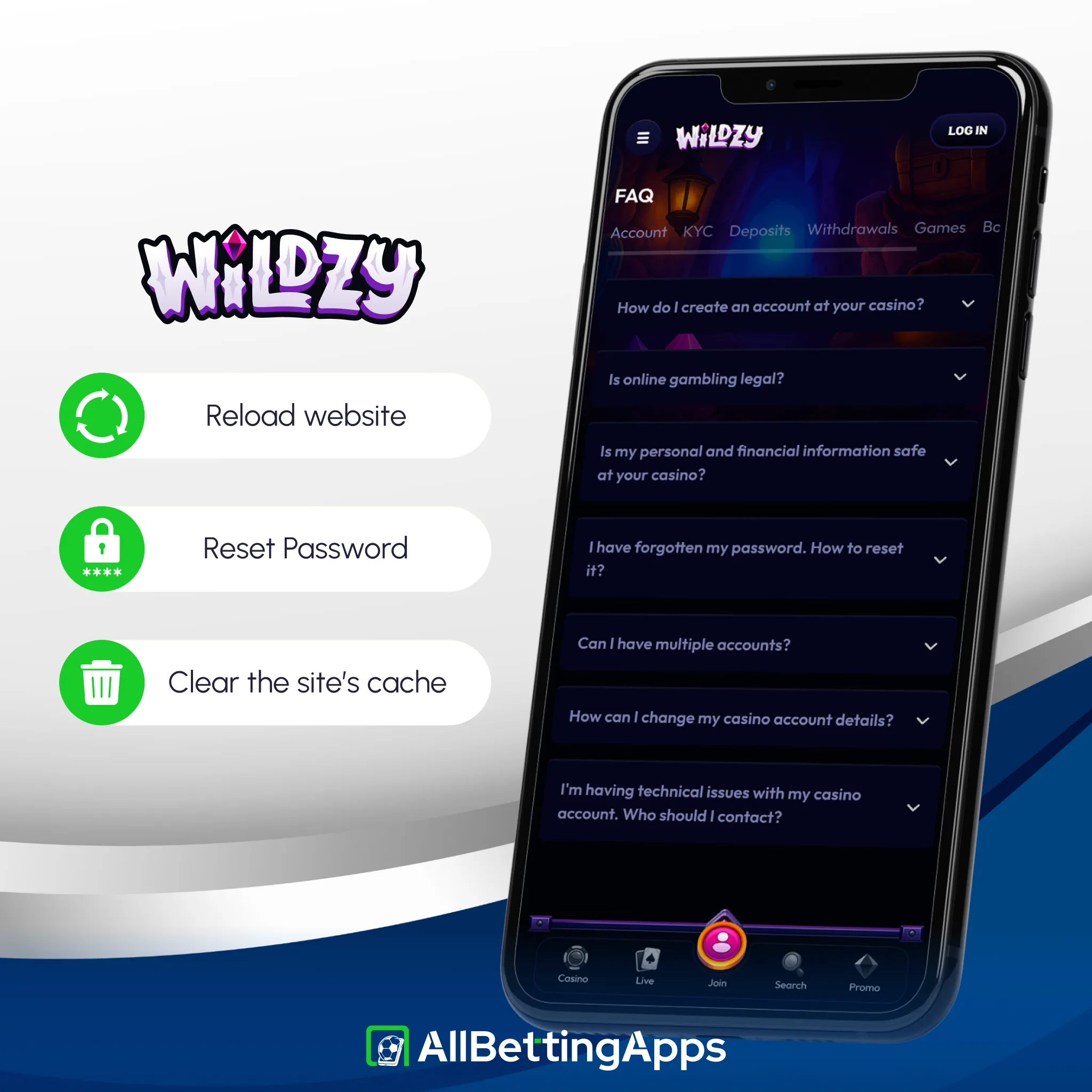
When Wildzy Won’t Work
If you run into issues while using the app, the problem is usually in the phone browser. Here are the most common issues:
- Shortcut is missing. On iPhone, open the site in Safari instead of Chrome to save it to your screen;
- Page is not loading. Refresh the page. If it stays stuck, clear your browser history and cache;
- Getting logged out. Keep cookies turned on for this site so it remembers your login;
- Password does not work. Reset your password, or contact customer support via live chat or email for help.
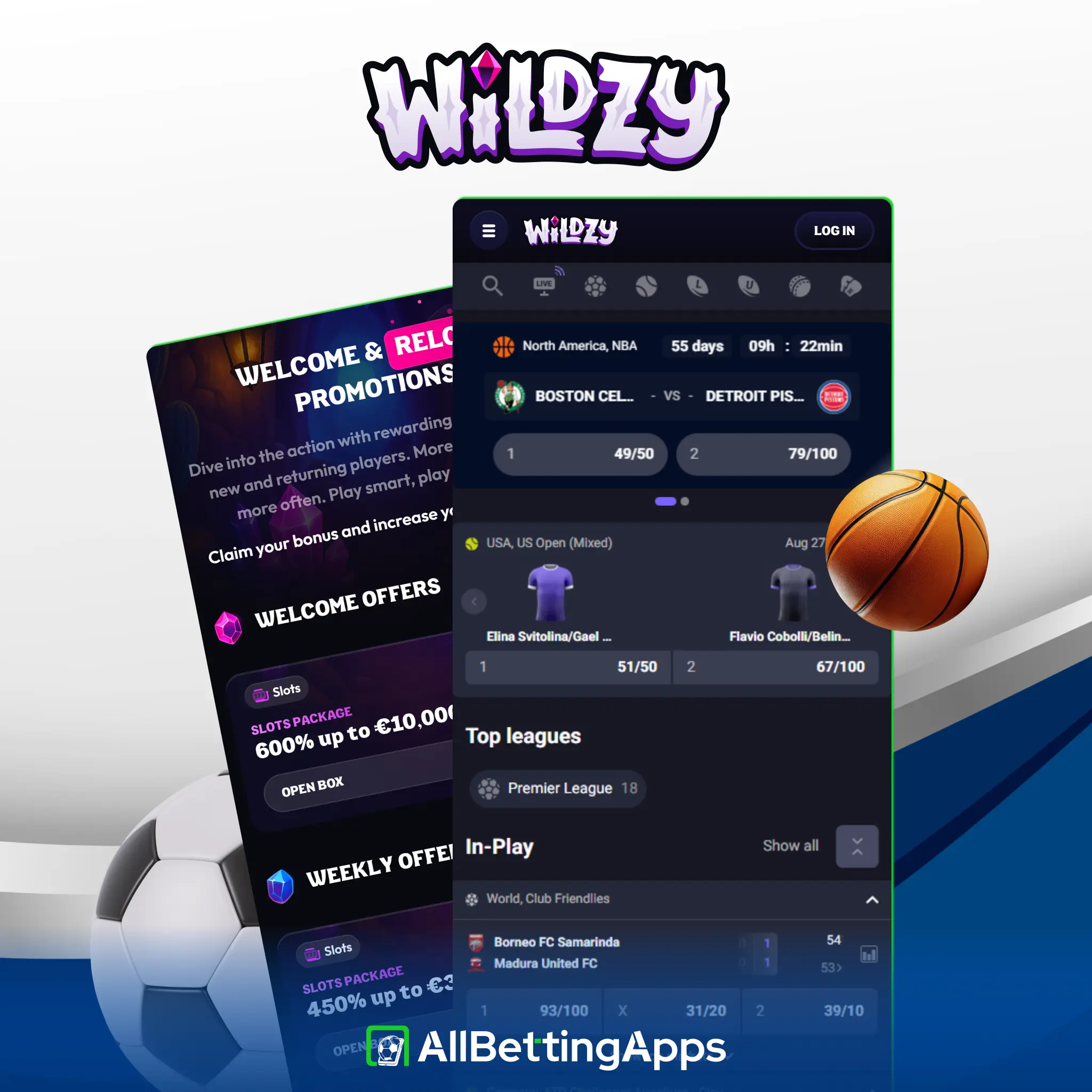
Current Wildzy Welcome Bonus
Wildzy does not have a sports welcome bonus. The welcome deal is only for casino slots and does not work for sports betting. There are no free bets and no deposit matches for sports. If you want a welcome bonus to bet on sports, you will not find one here.
Apps Similar to Wildzy
The following apps are not at all worse than the Wildzy app:
- Daytonaspin — adds Early Payout on football and a very low £0.01 bet.
- WinWinter — it adds horse racing and wider payments including Skrill.
- Basswin — a native Android app with Apple Pay and partial Cash Out.
Legal and responsible gambling
18+. Gambling involves risk. Only bet what you can afford to lose. See our responsible gambling guide for support, limits and self-exclusion tools.
- UK availability: accepts UK players.
- Licence: Anjouan ALSI-202412035-FI2 (not UKGC).
- Operator: Rabocse S.R.L.
- Last checked: October 2026.
FAQ
Is there a Wildzy app to download?
No. It’s a web app added from Chrome (Android) or Safari (iPhone). No APK, nothing in the stores.
What’s the cheapest way in?
Wildzy has the lowest limits here. You can deposit just £10 and withdraw from £20.
Does Wildzy have a sports welcome bonus?
No. Its only welcome offer is a casino slots package, not a sports deal.
What can I pay with?
Visa, Mastercard and crypto. Nothing else, no Apple Pay, Google Pay, PayPal or bank transfer.
Is Wildzy safe?
It holds an Anjouan licence and takes UK players, but isn’t UKGC-licensed. Weigh that, and gamble responsibly.
Post author
Comments