
 Written by
Theo White
Written by
Theo White

Download Basswin App for Android Latest Version 2026
150% deposit bonus for sports betting
Android
available, APK from the official site
iPhone
no native app, mobile web works instead
UK players
accepted
Last checked
October 2026
Testing status
hands-on tested
Pros
-
Full and partial Cash Out, rare in this group.
-
Apple Pay and Google Pay both accepted.
-
Fast bet placement, around 19 seconds in our test.
-
24/7 live chat, plus phone and email support.
-
Runs on Android 6.0, so old phones are fine.
Cons
-
No iPhone app.
-
No Bet Builder and no in-app statistics.
-
£100 minimum deposit, higher than some rivals.
-
App requests camera access.
Basswin Review
Basswin makes payments very easy .You can pay with bank cards, Apple Pay, Google Pay, Monzo, Revolut, bank transfers, or crypto. It doesn’t take PayPal.
You can deposit as little as £20 and small bets start at £0.01. But taking money out is harder, as card withdrawals start high at £100. Withdrawals take 1 to 3 business days, and there are no fees .The site uses Euros, so your bank coverts the money if you pay in pounds.
Like other non GamStop bookmakers, Basswin gives UK players lots of easy ways to pay.
| Minimum deposit | £20 |
| Minimum withdrawal | £100 (card) |
| Minimum bet | £0.01 |
| Cards & wallets | Visa, Mastercard, Apple Pay, Google Pay, Monzo, Revolut |
| Bank & crypto | Bank transfer, crypto |
| Withdrawal time | 1-3 business days, free |
Crypto minimum deposits: Bitcoin 0.0001 BTC, Ethereum 0.01 ETH, Litecoin 0.01 LTC, USDT 5 USDT.
Downloading the Basswin Android app
Basswin is not in Google Play. To get the Android app, you download a small 9.6 MB APK file directly from their site. You can follow the screenshots for each step.
Step 1
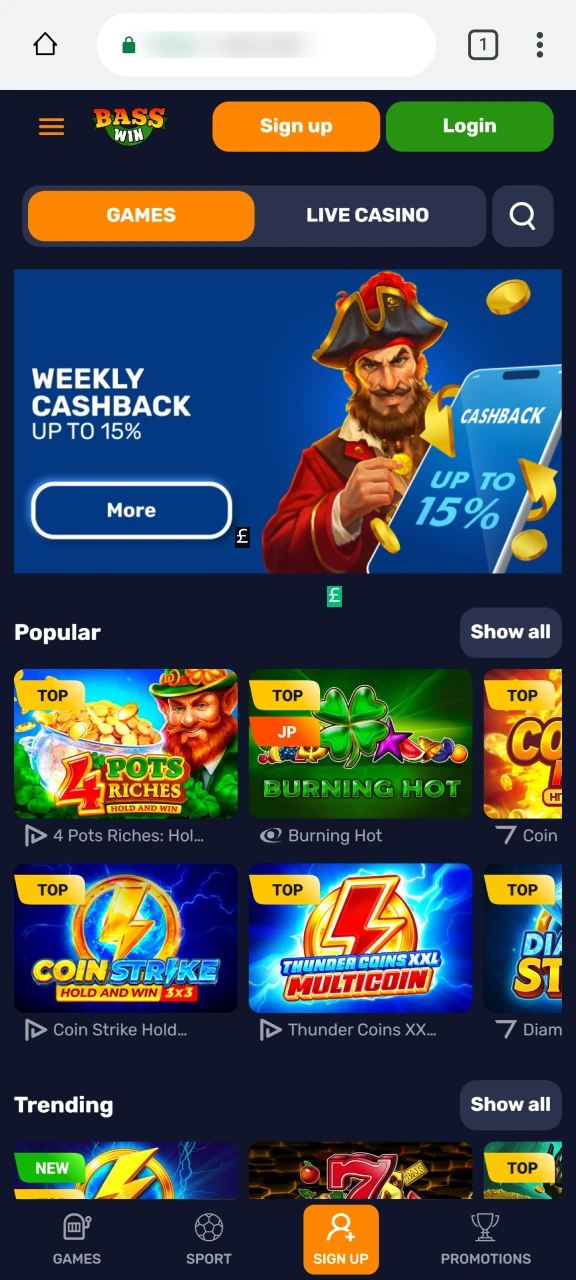
Open the official Basswin site
On your Android phone, go to Basswin’s own website. Only take the file from here, not from any third-party APK page.
Step 2
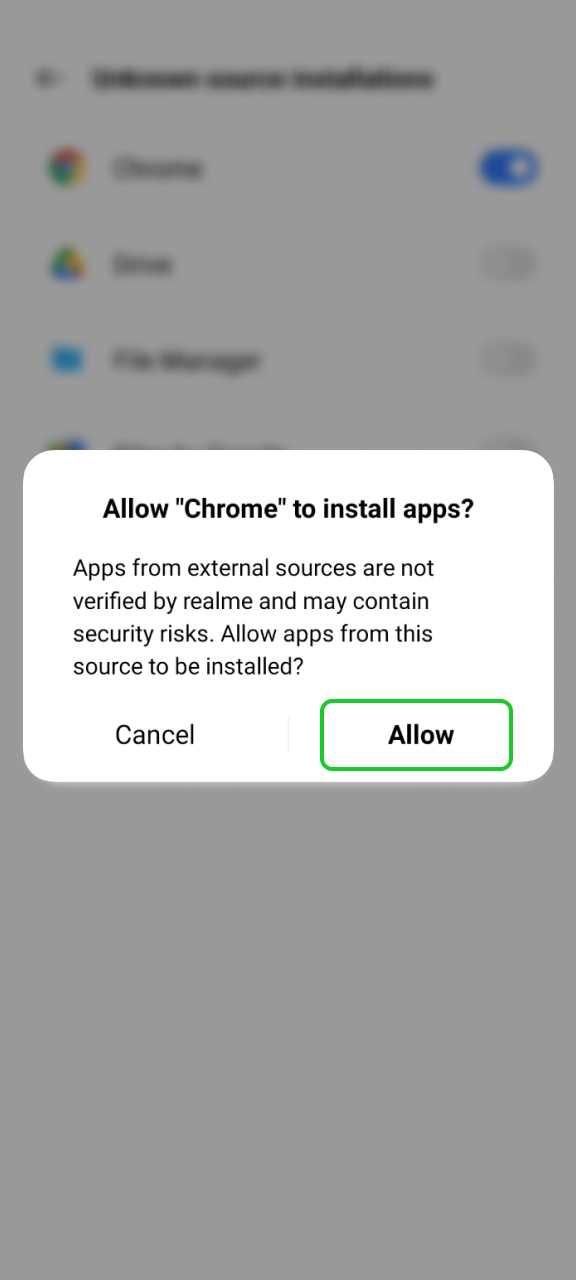
Allow the install
Because the file is not on Google Play, Android will ask before installing. Say yes to letting your browser install it.
Step 3
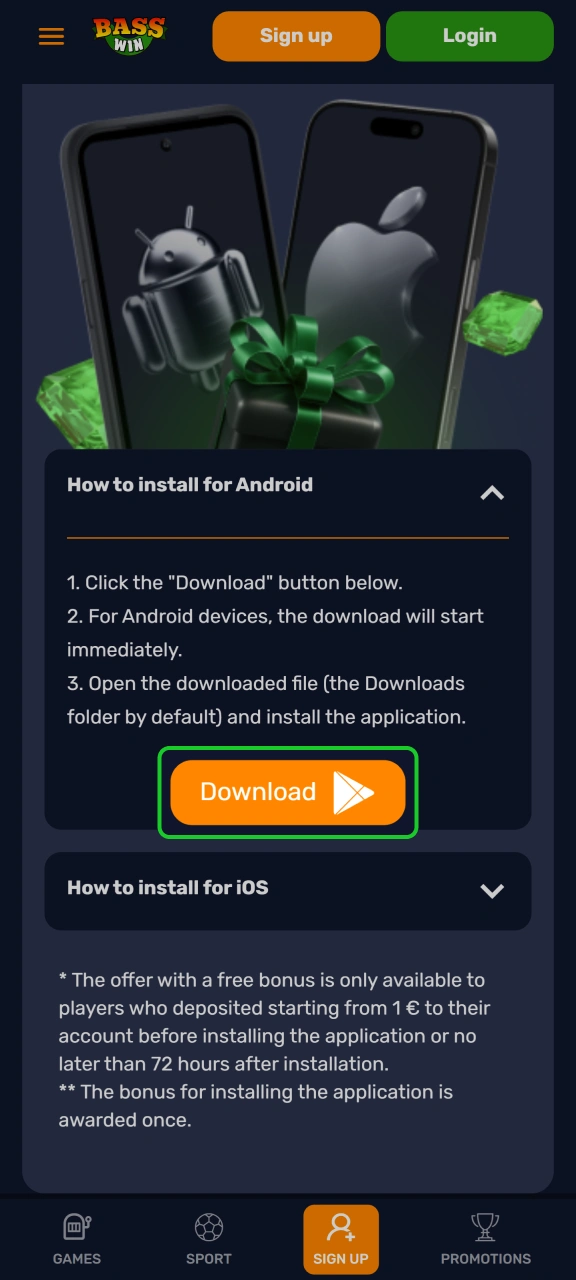
Download the file
Tap the Android download button. The 9.6 MB file finishes in a moment.
Step 4
Official Android App
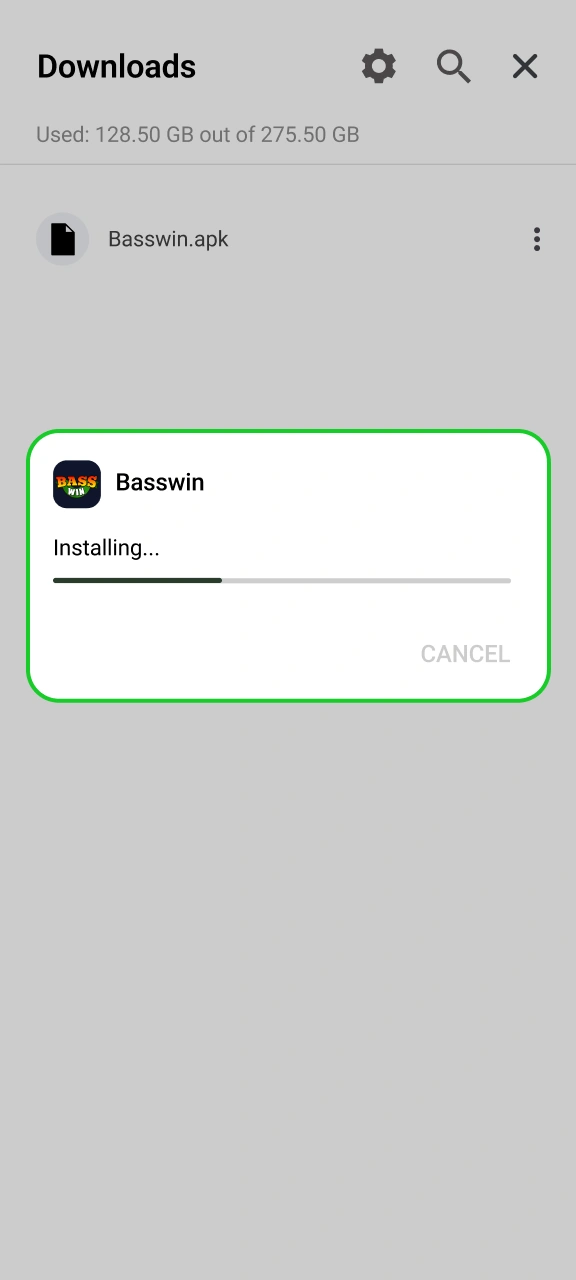
Install and sign in
Open it, install, then register or log in. Deposits start at £20.
Basswin on iPhone (web app)
Basswin is not in the App Store, so iPhone users can save the mobile site to their home screen using Safari. It acts just like an app. You can follow the screenshots for each step.
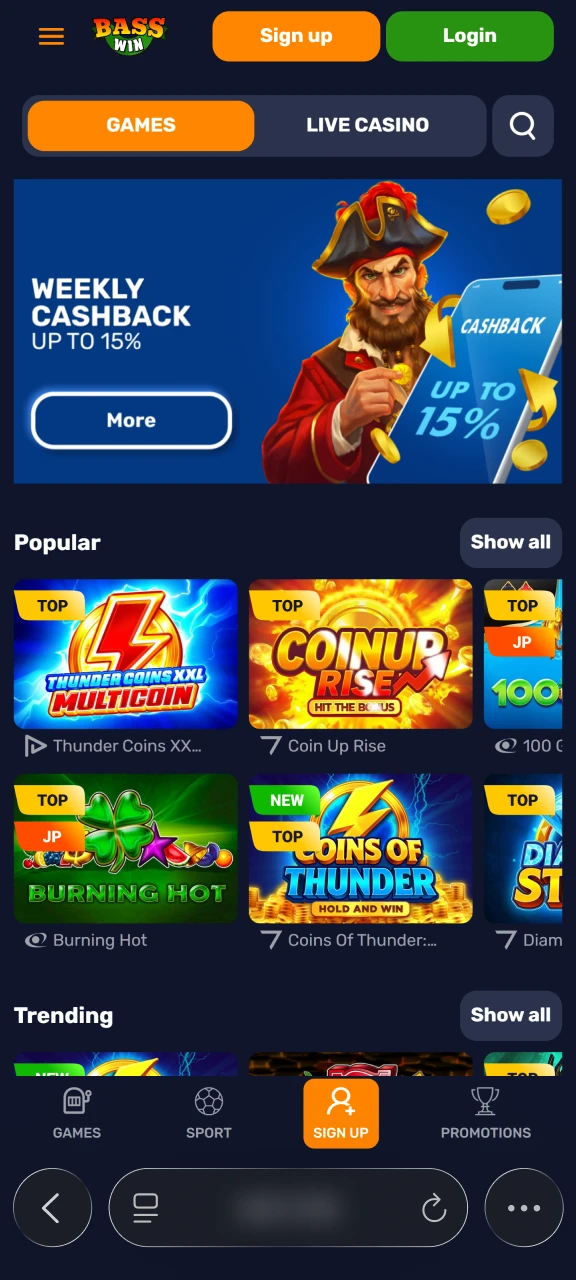
Step 1
Open Basswin in Safari
Go to the official Basswin site in Safari, this only works in Safari, not Chrome, on iPhone.
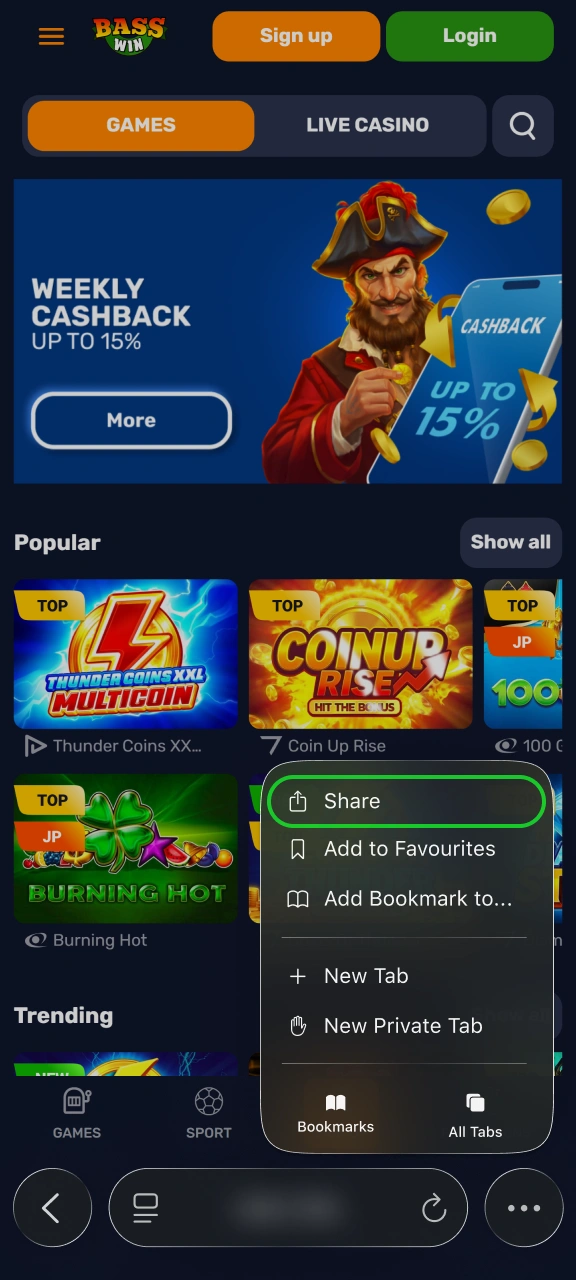
Step 2
Tap Share
Tap the Share icon in the toolbar, the box with an upward arrow.
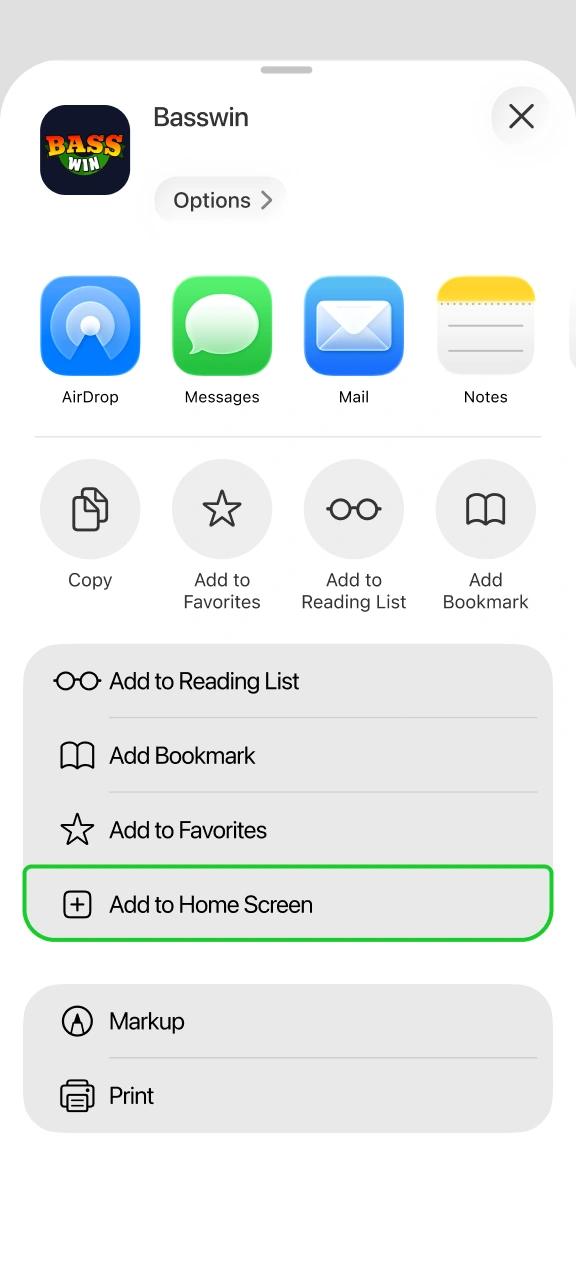
Step 3
Add to Home Screen
Scroll to “Add to Home Screen” in the share sheet and confirm.
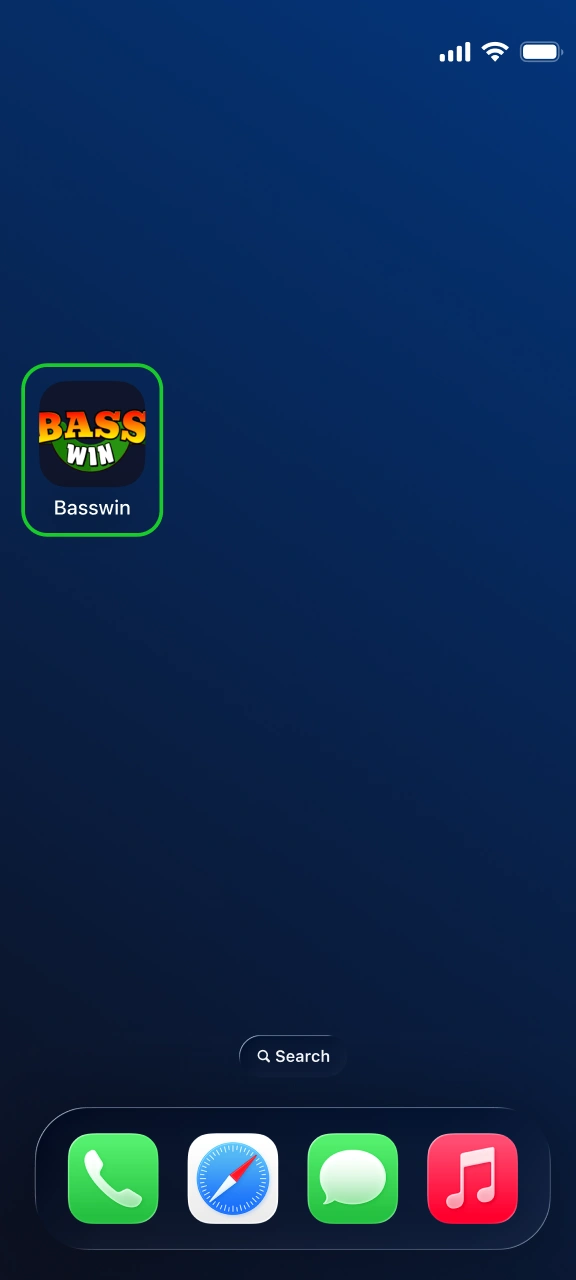
Step 4
Open Basswin in Safari
Open from your home screen
The Basswin icon lands on your home screen. Tap it to run full-screen and sign in.
Bonus for installing the app
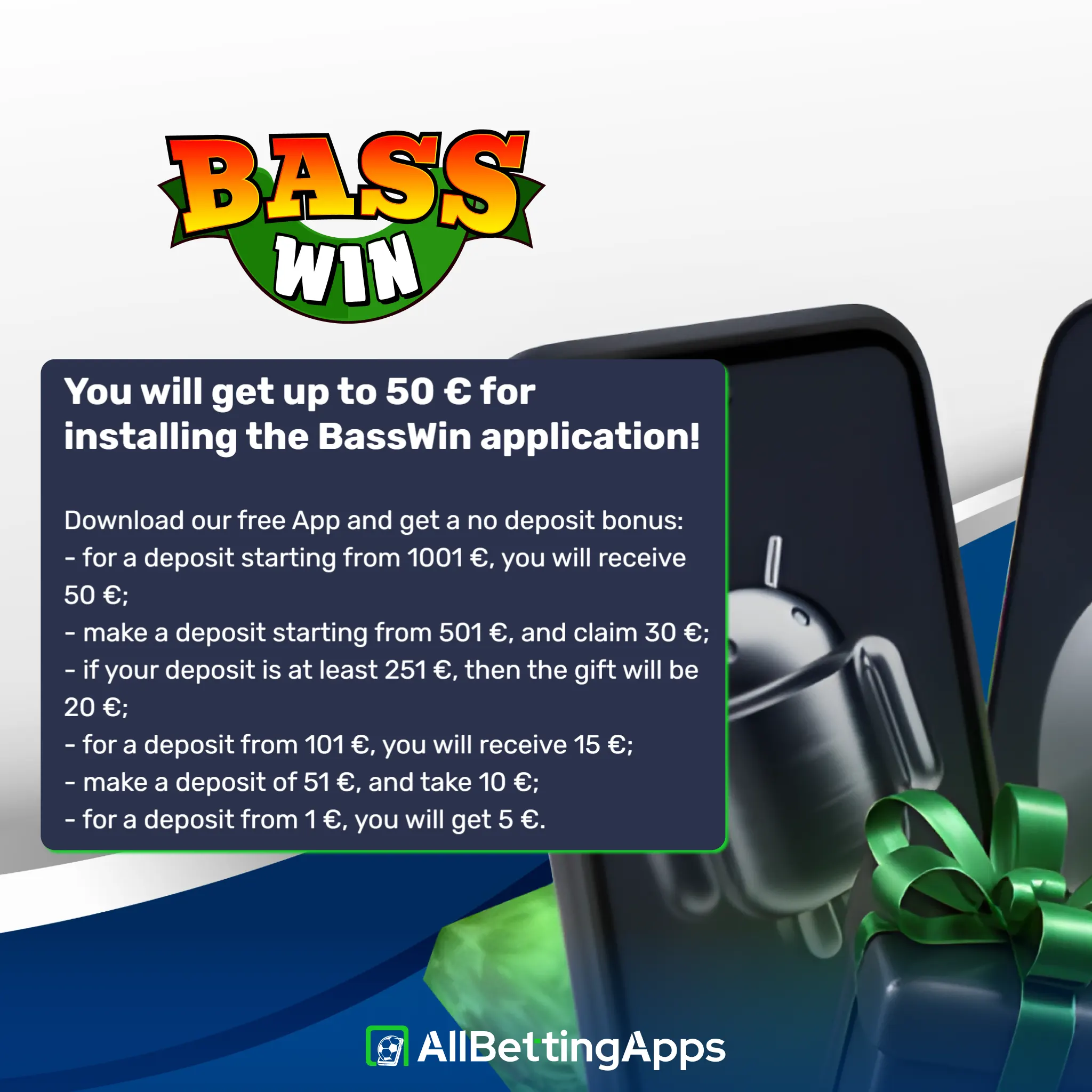
Separately, Basswin runs a no-deposit-style reward just for installing the Android app, scaled to your first deposit: from £5 on a small deposit up to £50 if you deposit €1,001 or more. You need to have deposited (from €1) either before installing or within 72 hours after, and it’s paid once. It’s a install incentive rather than a sports offer, so treat it as a small extra, not the main welcome.
Current Basswin app offer
- Offer: 150% deposit bonus for sports betting
- Minimum deposit: £20
- Wagering: Not confirmed
- Minimum odds: Not confirmed
- Expiry: Not confirmed
- Key terms: Not confirmed
Basswin gives a 150% sports betting bonus when you deposit at least £20. Important details like wagering rules, minimum odds, and time limits are not shown in the app. Make sure to read the full terms on their site before you claim it.

How to identify the official Basswin app
Because you are getting the app file directly from the website and not an official app store, you should take a few steps to stay safe. After downloading, check your phone settings to make sure the package name says com.bass.win so you know it is real. The official app only asks for camera access to take pictures of your ID for verification and storage access for basic app data. If a file asks for your contacts, location, or text messages, delete it right away.
System requirements
| Field | Value |
|---|---|
| Version | 1.100.2 |
| Size | 9.6 MB |
| Min Android | 6.0 |
| Package | com.bass.win |
| Permissions | Internet, storage, camera |
| Build type | WebView wrapper |
Android 6.0 and 9.6 MB mean this installs on very old, cheap phones, older than most apps here support. It’s a WebView build, so it runs the Basswin site inside an app frame rather than being fully native, in use it’s like a quicker, full-screen version of the site.
Testing Basswin
Testing status: hands-on tested
I installed the APK on the Android phones and used the Safari site on iPhone. Registration, deposit and bet placement all cleared, and a bet took about 19 seconds. I checked partial Cash Out specifically, and it worked, cashing part of a bet and leaving the rest live. Live chat came back inside a minute, and Basswin has email support too.
| Check | Result |
|---|---|
| APK install | Fine |
| Login | Fine |
| Deposit | Fine |
| Bet placement | Fine, ~19s |
| Partial Cash Out | Confirmed working |
| Support | Live chat + email |
Devices: Pixel 10 Pro, Pixel 2 XL, Galaxy S25, Galaxy A17 (app), iPhone 15 Pro Max, iPhone 11 (Safari).
Features: strong on Cash Out, light elsewhere
The main feature of the Basswin app is Cash Out, which allows both full and partial withdrawals. Taking part of your bet while leaving the rest in play is a big plus, as most similar apps only offer full cashouts. Live betting is also available. However, there is no Bet Builder, no live streaming, and no live statistics.
| Feature | On Basswin |
|---|---|
| Cash Out | Full and Partial |
| Live betting | Yes |
| Bet Builder | No |
| Statistics | No |
| Live streaming | No |
How to register through the Basswin app
You can use the app to create an account and start playing, and here is how it’s done:
- Install the app or open the site. Install the Android app, or open the mobile site on iPhone.
- Start registration. Tap Sign up.
- Enter your details. Fill in your email and password, and confirm you’re 18 or over.
- Verify and deposit. Complete any identity checks, then deposit from £20 to start betting.
Payments: wide methods, low bet
Payments are Basswin’s real strength. On top of cards, Apple Pay and Google Pay, it takes Monzo and Revolut, the app-based banks a lot of UK players use day to day, plus bank transfer and crypto. No PayPal. Deposits start at £20 and the minimum bet is a tiny £0.01, so you can stake pennies. The catch is on the way out: card withdrawals start at £100, higher than several rivals, and are free, quoted at 1-3 business days.
| Minimum deposit | £20 |
| Minimum withdrawal | £100 (card) |
| Minimum bet | £0.01 |
| Cards & wallets | Visa, Mastercard, Apple Pay, Google Pay, Monzo, Revolut |
| Bank & crypto | Bank transfer, crypto |
| Withdrawal time | 1-3 business days, free |
Crypto minimum deposits: Bitcoin 0.0001 BTC, Ethereum 0.01 ETH, Litecoin 0.01 LTC, USDT 5 USDT.
Basswin app troubleshooting
Some of the most common issues players face when using the Basswin app are:
- Won’t install: check Android is 6.0 or newer, and that unknown-source installs are allowed.
- Storage: at 9.6 MB it’s rarely a space issue, restart and retry if install stalls.
- Won’t load: as a WebView, trouble is usually the connection, check your network, close fully and reopen.
- No auto-update: outside Play it won’t update itself, fetch a new APK from the site when needed.
- Login trouble: reset the password, or use live chat or email.
Alternatives to weigh up
Alternatively, you can use the following options which are just as good as the Basswin app:
Legal and responsible gambling
18+. Gambling involves risk. Only bet what you can afford to lose. See our responsible gambling guide for support, limits and self-exclusion tools.
- UK availability: accepts UK players.
- UKGC licence: not UK-licensed.
- Last checked: October 2026.
FAQ
Is there a Basswin app for iPhone?
No native iOS app. Basswin is Android-only via APK, and iPhone users pin the Safari site to their home screen instead.
Does Basswin have partial Cash Out?
Yes, both full and partial, so you can settle part of a bet and leave the rest running. That’s uncommon in this group.
How big is the Basswin app, and what does it need?
9.6 MB, and it runs on Android 6.0 or later, so even old phones handle it.
Which payments does Basswin take?
Apple Pay, Google Pay, Visa, Mastercard, bank transfer and crypto. No PayPal.
Is Basswin safe?
It accepts UK players but has no UKGC licence, and the app asks for camera access. Weigh both before depositing, and gamble responsibly.
Post author
Comments