
 Written by
Theo White
Written by
Theo White
Gambiva App For UK Users in 2026
Limit reached. Remove one bookmaker to add a new one.
300% up to €3,500
App
web app (PWA), no native download
Android
works through the browser
iPhone
works through Safari
UK players
accepted
Last checked
October 2026
Testing status
hands-on tested
Pros
-
Works on any phone through the browser, nothing to install.
-
Wide sport coverage, 14 main sports.
-
In-app statistics.
-
Fast live chat, answered under a minute in our test, 24/7.
Cons
-
No native app for Android or iPhone.
-
High £100 minimum withdrawal.
-
£10 minimum bet, higher than apps starting at pennies.
-
No Bet Builder, no live streaming, full-only Cash Out.
-
Narrow payments: no Google Pay, PayPal or bank transfer.
First Glance at Gambiva
Gambiva is a good choice if you like many sports and match stats. However, it has two big problems. The smallest withdrawal is £100, which is very high. Also, payment choices are limited to cards, Apple Pay, and crypto.
It works directly in your phone browser, so there is no app to download from the store. It is one of the betting websites not on GamStop available today. It has an Anjouan license, but it doesn’t have a UKGC license.
| Field | Value |
|---|---|
| App name | Gambiva |
| Operator | Softon Ltd (CY) |
| App type | Web app (no APK, no App Store) |
| UK players | Yes |
| Licence | Anjouan ALSI-202409012-FI1 |
| Minimum deposit | £20 |
| Minimum bet | £10 |
| Minimum withdrawal | £100 |
| Withdrawal time | 1-3 business days, free |
| Cash Out | Full only |
| Bet Builder | No |
| Statistics | Yes |
Adding Gambiva Android Home Screen
There’s no Gambiva APK and nothing in Google Play. You pin the mobile site to your home screen, which takes about a minute in Chrome. Each step below lines up with a screenshot.
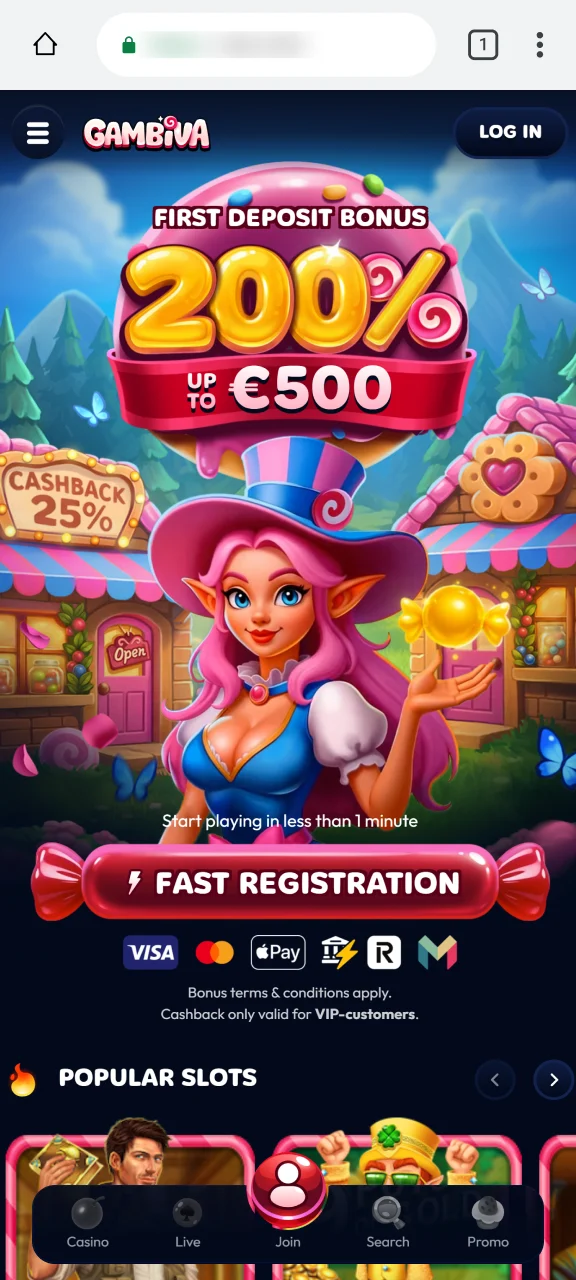
Step 1
Load the site in Chrome
Type the official Gambiva address into Chrome on your phone and let it load fully.
Step 2
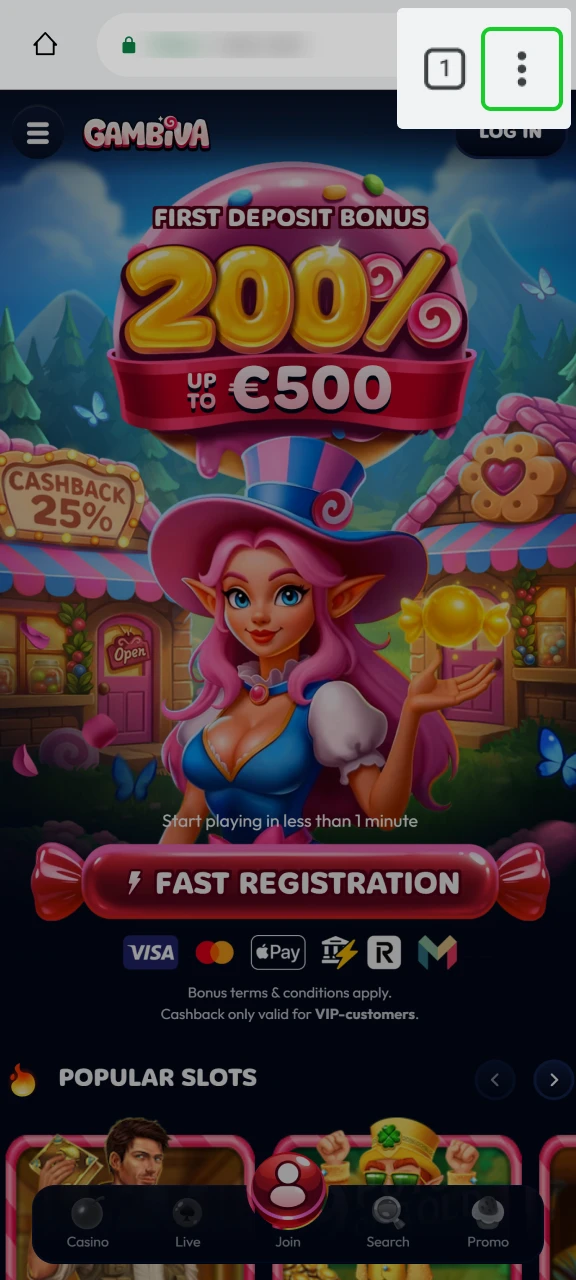
Open Chrome’s menu
Hit the three dots at the top right to bring up the browser menu.
Step 3
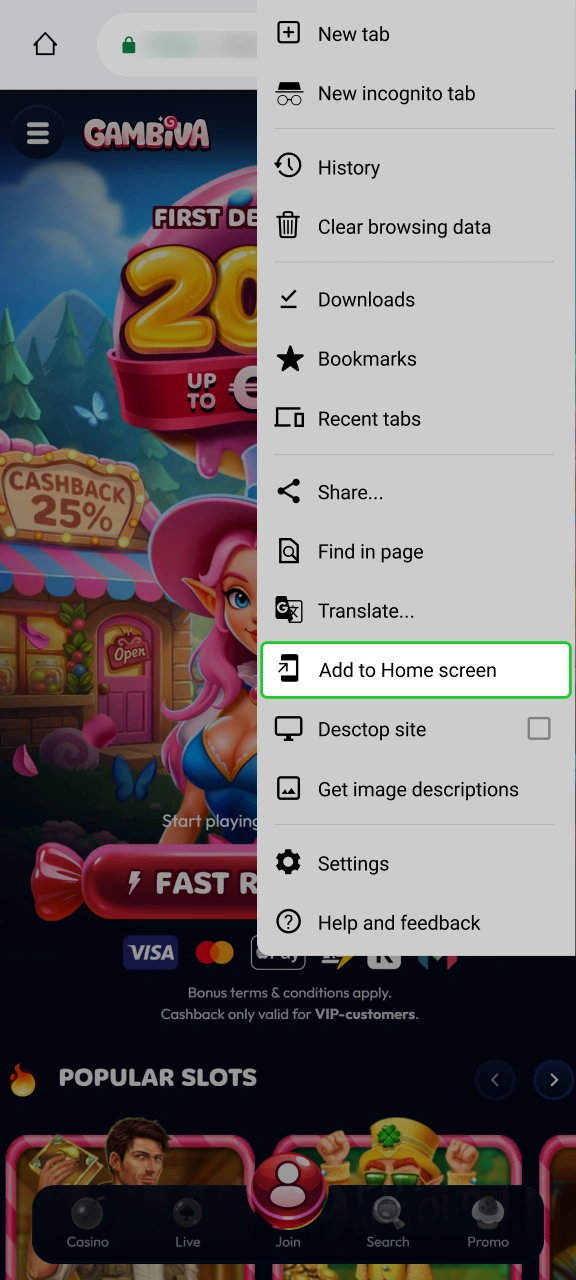
Choose Add to Home screen
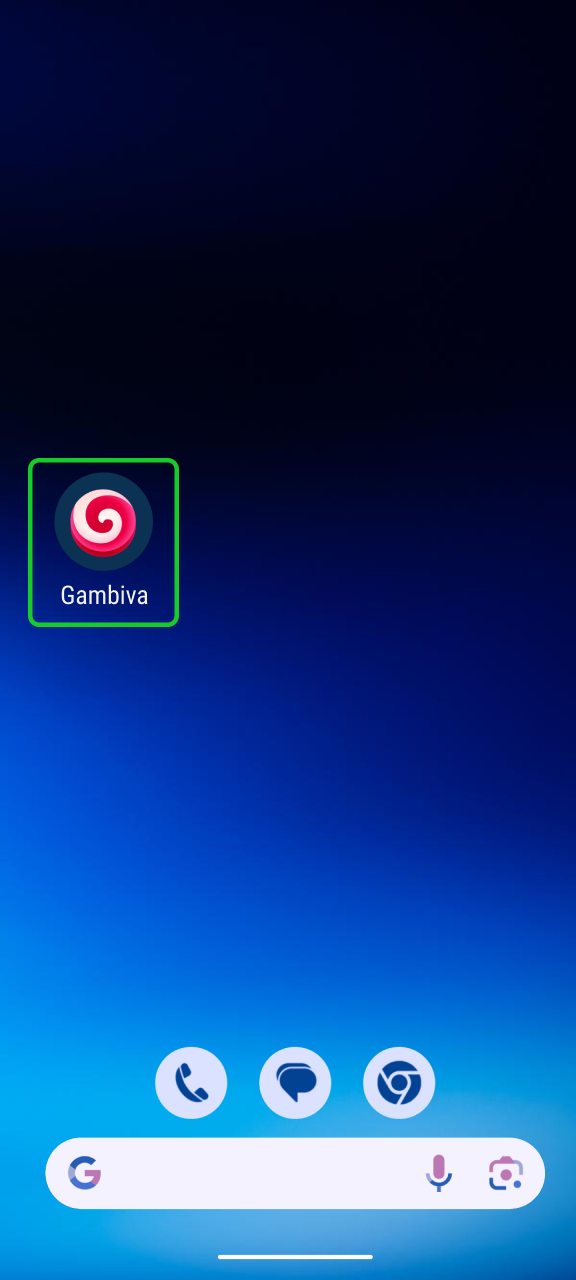
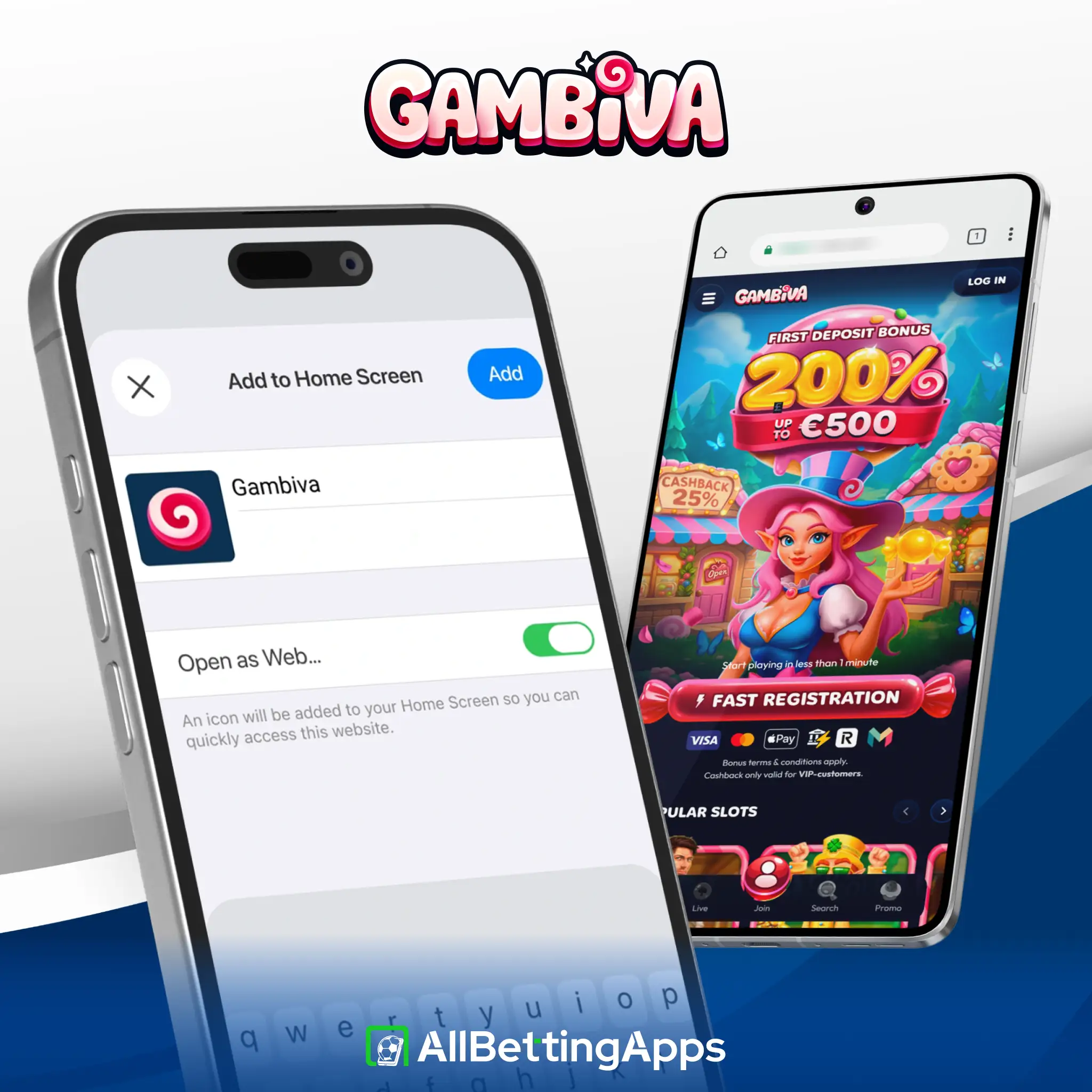
Pick that option, keep or edit the name, and confirm. Gambiva now sits as an icon on your screen.
Step 4
Open Gambiva in Your Browser
Launch and sign in
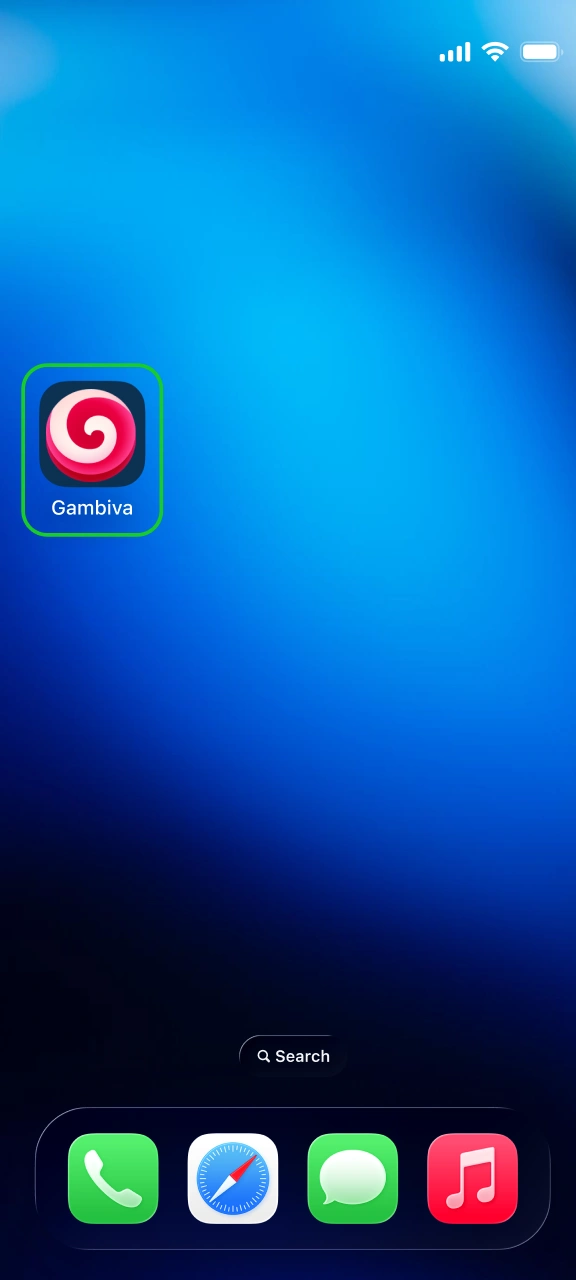
Tap the new icon. It fills the screen like an app. From here you register or log in.
Adding Gambiva to an iPhone
iPhone works differently, and it has to be Safari for the mobile version to work, since the home-screen option doesn’t exist in Chrome on iOS. Screenshots follow each step.
Step 1
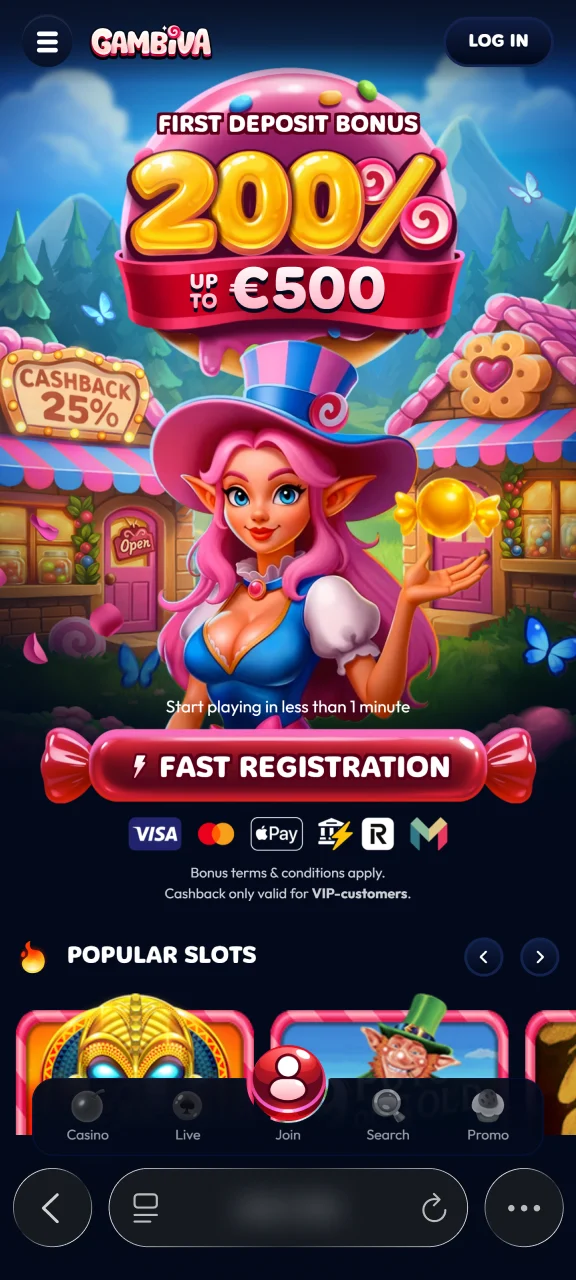
Load the site in Safari
Open Safari and go to the official Gambiva address.
Step 2
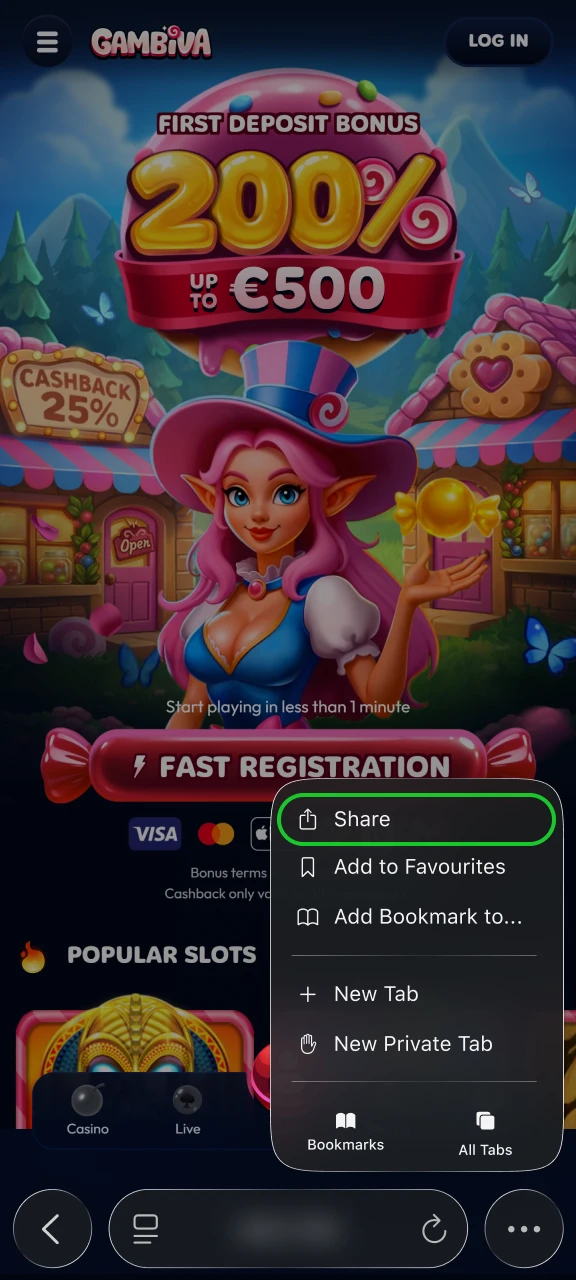
Open the Share Menu
Tap the Share button in the toolbar, the box with an upward arrow.
Step 3
Open the Share Menu
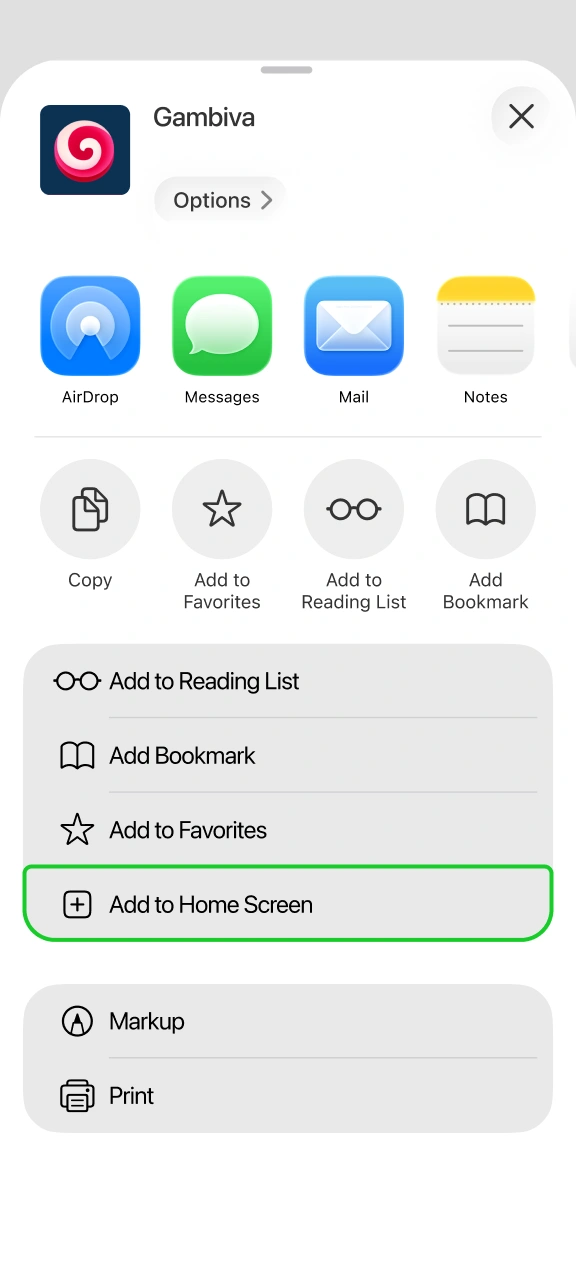
Scroll the share options until you find it, then confirm the name.
Step 4
Open Gambiva in Safari
Pick Add to Home Screen
The Gambiva icon appears on your home screen. Tap it to open full-screen and sign in.
Can You Download the Gambiva App?
No, you cannot download the Gambiva app. It is not on Google Play or the App Store, and there is no APK file. You can only use it by opening the website on your phone browser. Don’t download and file claiming to be a “Gambiva APK” because it is fake.
How Gambiva Was Tested
Testing status: hands-on tested
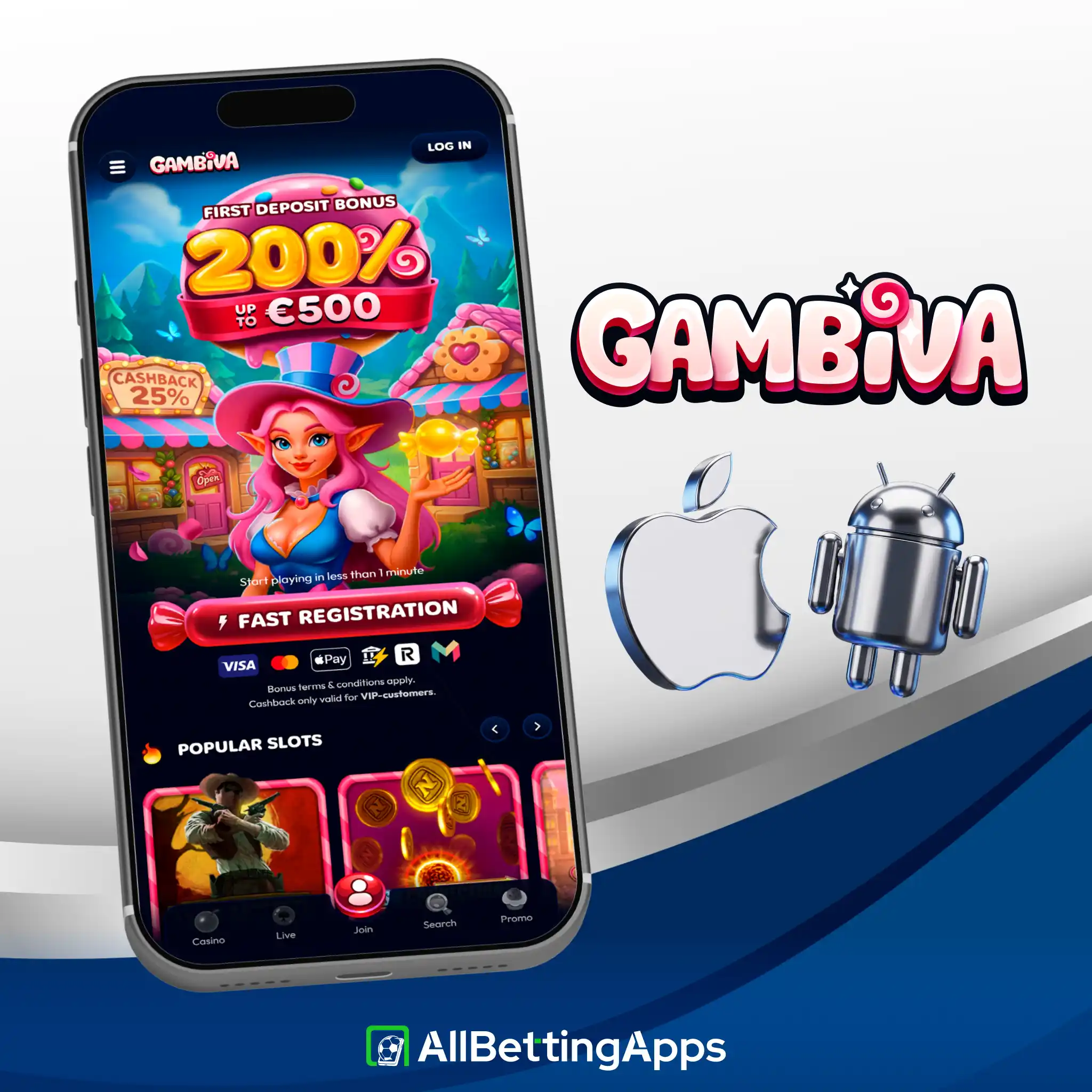
I pinned Gambiva to the home screen on Android and iPhone, deposited to an account and placed live bets on each. Everything from registration to placing a bet worked without a hitch, and a bet took roughly 20 seconds to get on. When I opened a live chat with a query, someone replied inside a minute.
| Check | Result |
|---|---|
| Home-screen setup, both platforms | Fine |
| Account and login | Fine |
| Deposit | Fine |
| Placing a bet | Fine, ~20s |
| Finding Cash Out | Yes, full only |
| Live chat wait | Under a minute |
Devices used: Pixel 10 Pro, Pixel 2 XL, Galaxy S25, Galaxy A17, iPhone 15 Pro Max, iPhone 11. Since Gambiva is a website in a shell, it doesn’t lean on your hardware, any phone with a current browser runs it.
Gambiva Functionality
Gambiva covers many sports, but it doesn’t have many additional features. You can place live bets, and there is a helpful stats panel to look at before you bet. However, you won’t find a Bet Builder, live streaming, or partial Cash Out. You can only use full Cash Out. The betting works well, but the tools are basic at best.
| Feature | On Gambiva |
|---|---|
| Cash Out | Full only |
| Statistics | Yes |
| Live betting | Yes |
| Bet Builder | No |
| Live streaming | No |
How to Sign Up at Gambiva
Here is what you will need to do sign up with the Gambiva app:
- Open Gambiva in your browser or from the home-screen icon.
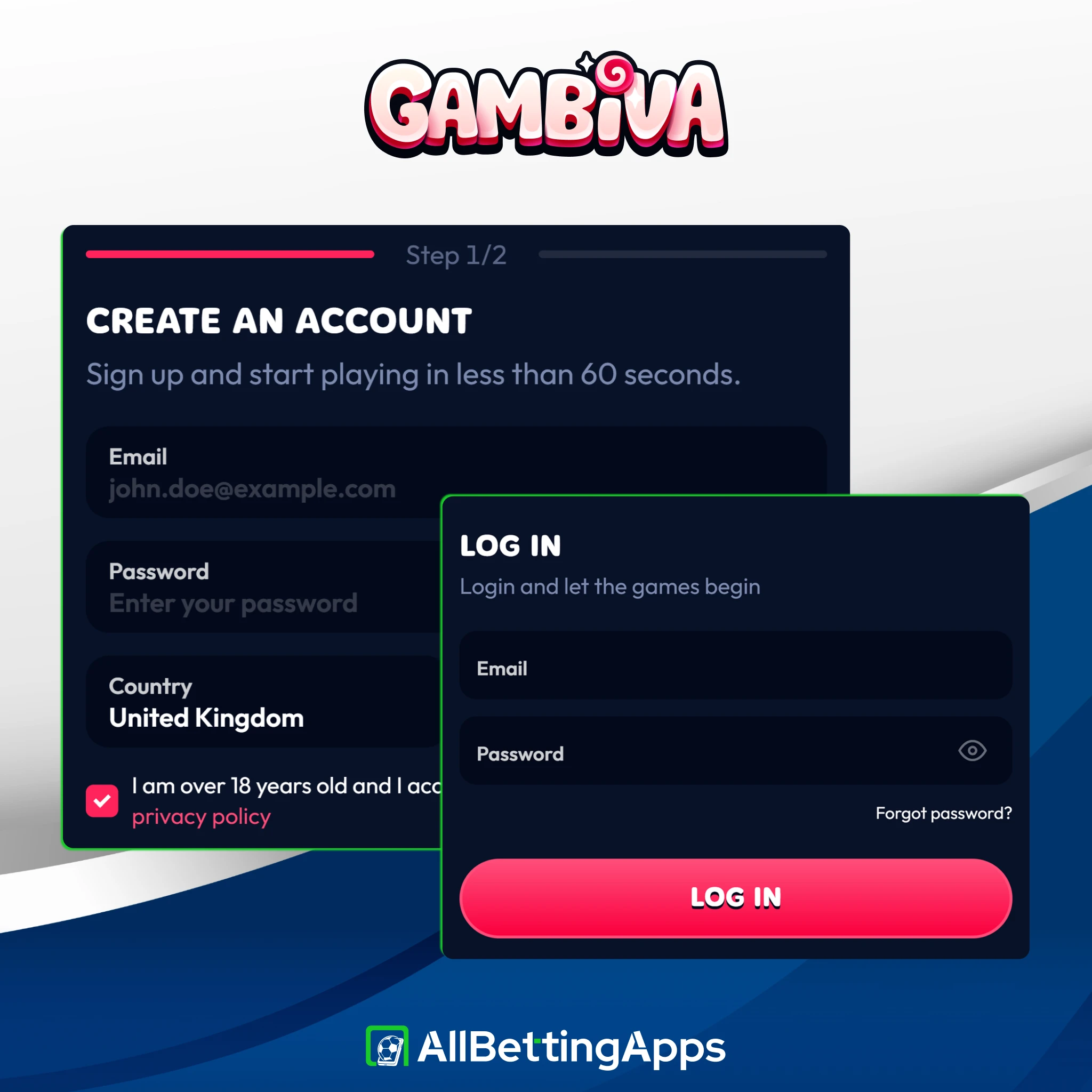
- Tap Sign up.
- Fill in your details and confirm you’re 18 or over.
- Complete any checks, then deposit from £20 to start betting.
Gambiva Payment Methods
Gambiva has a downside with payments. You can deposit from £20, but you must have at least £100 to make a withdrawal. The payment options are also limited, as you can only use cards, Apple Pay, and crypto. There is no Google Pay, PayPal, or bank transfer. Withdrawals are free and take from 1 to 3 business days.
| Minimum deposit | £20 |
| Minimum withdrawal | £100 (high) |
| Methods | Visa, Mastercard, Apple Pay, crypto |
| Withdrawal time | 1-3 business days, free |
If Gambiva won’t load or install
Since it’s a browser app,some issues may occur, like the following:
- No “Add to Home screen” option. You’re likely in Chrome on iPhone. Switch to Safari, it’s the only iOS browser that offers it.
- Blank or stuck page. Refresh first, then clear the browser cache, which clears most loading faults.
- Keeps signing you out. The session lives in the browser, so don’t wipe cookies for the site if you want to stay logged in.
- Login rejected. Reset the password, and if that fails, live chat or email will unlock it.
Welcome Bonus at Gambiva
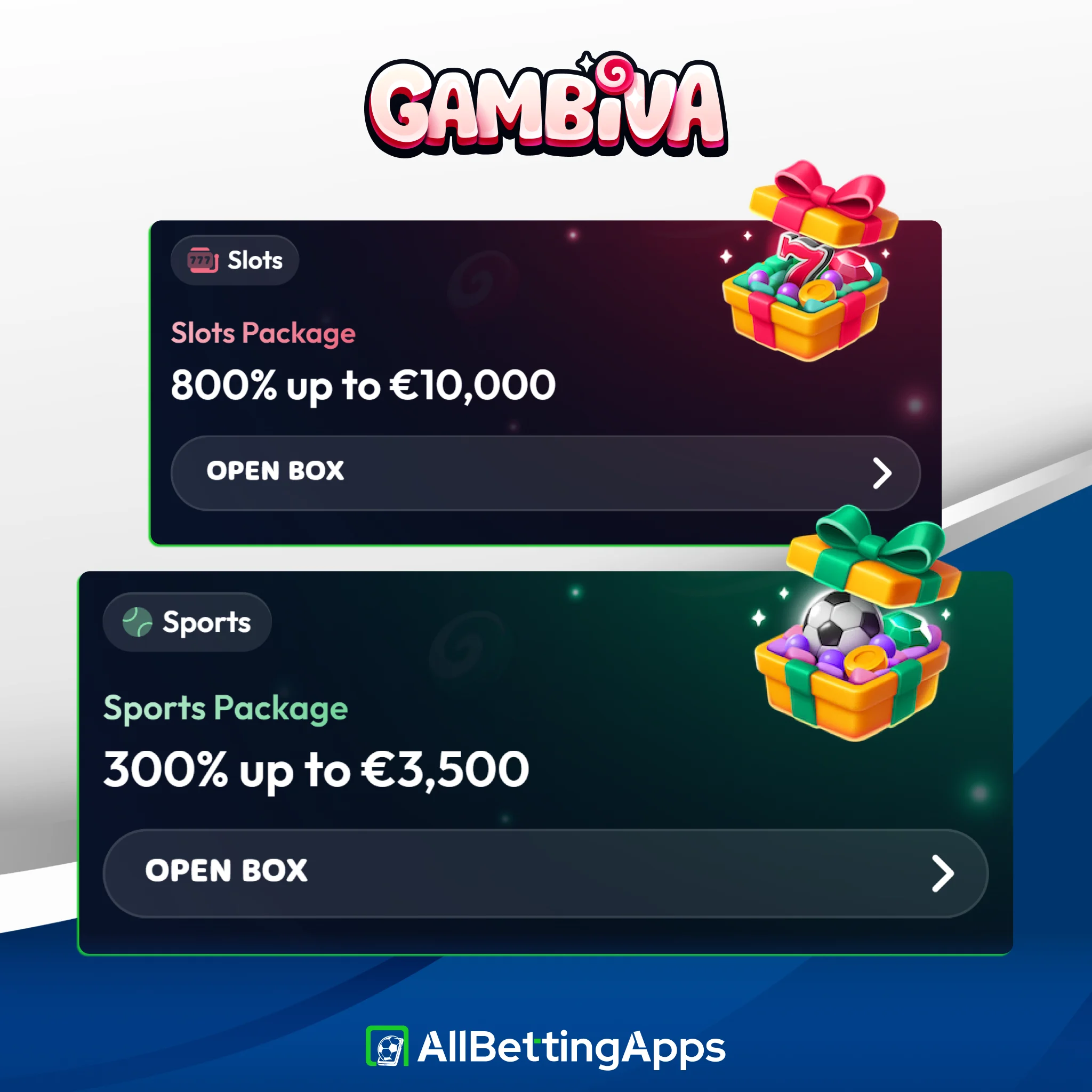
Gambiva’s sports welcome is a three-deposit package worth up to €3,500:
- First deposit: 100% up to €500
- Second deposit: 100% up to €1,000
- Third deposit: 100% up to €2,000
- Wagering: 15x
- Qualifying deposit: from £20
The 15x wagering is the number to watch. Qualifying odds and the time window aren’t spelled out on the promo screen, so check the operator’s full terms before opting in.
If Gambiva isn’t quite right
You can alternatively use the following apps if the Gambiva’s app is not the one for you:
Legal and responsible gambling
18+. Gambling involves risk. Only bet what you can afford to lose. See our responsible gambling guide for support, limits and self-exclusion tools.
- UK availability: accepts UK players.
- Licence: Anjouan ALSI-202409012-FI1 (not UKGC).
- Operator: Softon Ltd (CY).
- Last checked: October 2026.
Gambiva FAQ
Is there a Gambiva app in Google Play or the App Store?
No. It’s a web app you add to your home screen from Chrome on Android or Safari on iPhone. There’s no APK.
Why is Gambiva’s minimum withdrawal so high?
It’s set at £100, the steepest in this group. You need that balance before any withdrawal, so factor it in before depositing.
Does Gambiva have a Bet Builder?
No. You can bet live and use full Cash Out, but there’s no Bet Builder or live streaming.
What payments does Gambiva take?
Visa, Mastercard, Apple Pay and crypto. No Google Pay, PayPal or bank transfer.
Is Gambiva safe to use?
It holds an Anjouan licence and accepts UK players, but it isn’t UKGC-licensed. Weigh that up, and gamble responsibly.
Post author
Comments